 EN
 ES
 RU
 DE
 PL
 IT
 TR
 FR
 BR
 NL
 CZ
 UA
 HU
 SE
 无限下载
 特惠






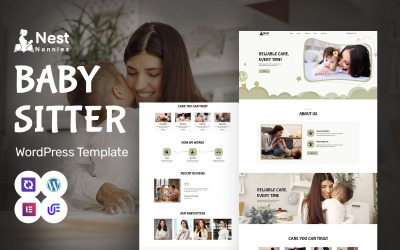




保姆 WordPress 主题常见问题解答
如何重置托儿服务 WordPress 主题?
- 安装插件WordPress Database Reset 。
- 转至工具 > 数据库重置。数据库重置插件将删除您的 WordPress 网站上的所有内容。选择您要重置的表格或全选以完全重置您的网站。
可以在 Photoshop 中编辑 Nanny Services WordPress 主题吗?
TemplateMonster 清单中提供的所有 WordPress 主题都包含分层的 PSD 文件。因此,您可以使用流行的照片编辑器修改任何设计。
在哪里安装 Nanny Services WordPress 主题?
要安装 WordPress 主题,请执行以下步骤:
- 在您的 WordPress 仪表板中,转到外观 > 主题 > 添加新的。
- 从那里,您将在屏幕顶部看到“上传”选项。单击“浏览”按钮,浏览您的计算机文件并为您下载的扩展程序选择 .ZIP 文件。
如何处理 Childminder WordPress 主题定制?
有多种方法可以自定义 WordPress 主题。在最大程度上,这取决于任何特定主题在后台存储的功能。如果您的主题包含拖放式构建器,请继续在可视模式下对其进行自定义。如果您遵循传统方案,请打开您的 WordPress 仪表板并导航外观 > 主题 > 自定义。
保姆 WordPress 主题是一次性购买吗?
如果您选择一个包含终身免费更新的主题,那么您将无需在其进一步增强方面投入额外的资金。

Fresh Collection of Business Templates by TemplateMonster
We have already written posts about how easy it is to create a website with a template. It’s even easier with the help of TemplateMonster because our templates come with life-long support.
Read me
A Guide to the WordPress Template Hierarchy
We have already written posts about how easy it is to create a website with a template. It’s even easier with the help of TemplateMonster because our templates come with life-long support.
Read me
Promote Your Business On YouTube in 7 Steps
We have already written posts about how easy it is to create a website with a template. It’s even easier with the help of TemplateMonster because our templates come with life-long support.
Read me
How to Create a Website in 2019 [Ultimate Guide]
We have already written posts about how easy it is to create a website with a template. It’s even easier with the help of TemplateMonster because our templates come with life-long support.
Read me