EN
EN ES
ES RU
RU DE
DE PL
PL IT
IT TR
TR FR
FR BR
BR NL
NL CZ
CZ UA
UA HU
HU SE
SE 无限下载
无限下载  Sale
Sale 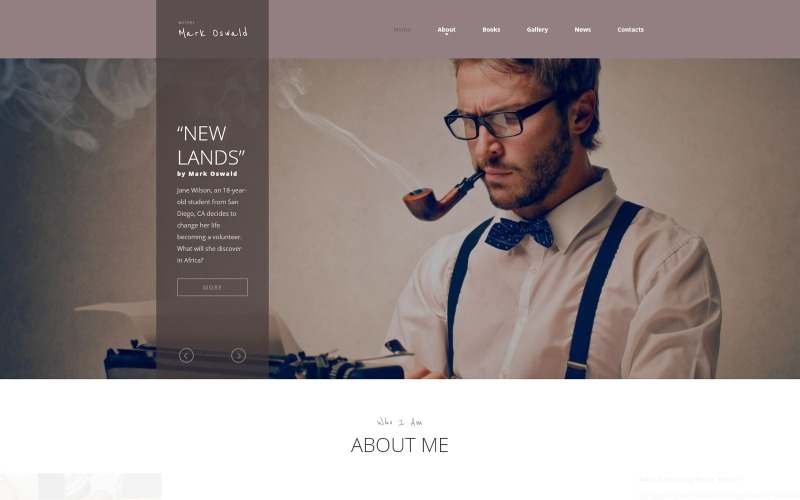


I like the fact that this template is clear and concise, and has a nice open format. I expect to garner favorable results from implementing this as our sales website template.
马克·奥斯瓦尔德(Mark Oswald)-响应者最小HTML5网站模板
6 months of support
![]() 对于一个产品,您将从作者获得6个月的支持。要了解更多相关内容,请阅读支持政策。
对于一个产品,您将从作者获得6个月的支持。要了解更多相关内容,请阅读支持政策。
 对于一个产品,您将从作者获得6个月的支持。要了解更多相关内容,请阅读支持政策。
 减价出售:
减价出售:



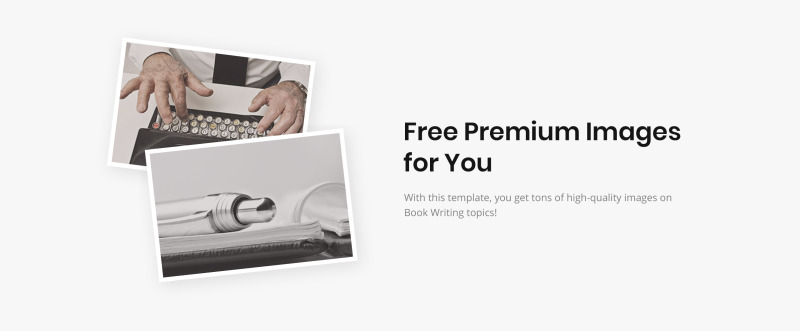



如果您是一名专业作家并且想要建立自己的个人网站,这里有适合您的东西。尝试这个 Writer 响应式 HTML5 模板,不要浪费时间和金钱从头开始构建您的网站。它由专业团队设计,设计经过深思熟虑,并且易于定制。通过使用包含的各种布局和页面,您可以轻松调整此模板。我们确保它易于使用且易于导航。它还支持社交网络集成。这个作家响应式 HTML5 模板深受我们对阅读的热爱的启发,所以我们尽了最大的努力。这是一个视差书商网站设计模板
它是什么?
视差是一种滚动技术,前景设计比背景设计移动得更快。
为什么它好?
给客户产生生动的效果,从而获得大量的目标受众,使客户粘在网页上。这是向单页网站添加亮点、恢复信息图表、讲述故事或展示作品集的绝佳方式。
在此处查看更多视差网站模板
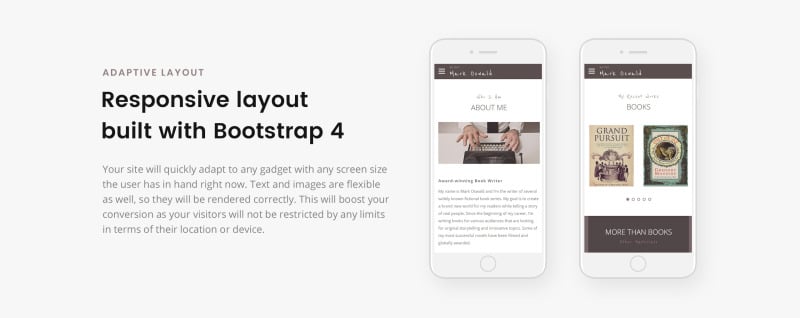
该作家网站设计是响应式的
它是什么?
响应式网页设计技术使网站的屏幕可以适应任何类型的屏幕分辨率。
为什么它好?
响应式设计可以帮助您的网站在任何类型的笔记本电脑或手持设备的屏幕上看起来同样良好。
新鲜的响应式网站模板在这里
更新日志
Mark Oswald Version 1.1 (April 24, 2019) Additions
8 Reviews for this product
This template was very easy to navigate around and to customize. I used Dreamweaver, and it was fluent and easy to work with if you have a basic to medium level skills in Dreamweaver and Photoshop (or any equivalent software that can do what Dreamweaver and Photoshop can do).
For example, changing the image assets to my own was as simple as opening the image in Photoshop and blanking out the whole background and then just overlaying it with my own image, and then saving the image in its original file name. Then, like magic, the template image changes to my own image, guaranteeing the dimensions of my new image are correct (because it mirrored the original template image), and best of all…no further html coding involved for replacing the images, because I didn't change the file name. Too easy! For the extra images that were not needed, I simply deleted them either in Dreamweaver’s graphic mode, or sometimes you might have to delete something in the html code mode if they’re not going away in graphic mode deletion.
Also, it was easy to add more items into the gallery image area (to exceed the amount the template came with), by simply copying & pasting the html code involved in that area. Dreamweaver allows you to edit in either graphics mode or just viewing the raw html code. I just highlight the section I want to duplicate while in graphics mode, and then I change over to the html code mode and instantly see the entire code of the section I highlighted while I was in graphics mode. From there, it’s just a simple matter of using the copy & paste command. Mistakes are un-avoidable, but that’s what the undo button is for, and also mistakes is how we learn and improve our skills.
I loved how the template automatically adjusts itself in regards to the device being used to view it. For example, if I view my website from my desktop PC with my large 28” monitor, it looks very nice. Then when I view the same website on my iphone (with the same URL my desktop used), I automatically get everything adjusted to suit my smaller iphone screen, and even some of the navigation elements are automatically optimized for better use with mobile device controls. I don’t know how this happens by itself because I am only editing the template once. Whoever made this template obviously used some technology that automatically re-adjusts the website design to suit the device viewing it (PC, iphone, tablet, etc.). I might not know how it automatically happens, but I’m glad it does happen because it makes me look good, and it saves me a lot of time and hassle by not having to make 2 different versions of my website (one for desktop, and another for mobile devices).
Thank you RockThemes for making this beautiful template, and for making me look professional with a website that looks like I paid someone 2000 dollars to make for me.
The Mark Oswald Writer responsive HTML5 website template has a modern, attractive design. I offer for those who have essential HTML editor skill and can upload the template manually for the web server. The manual updating seems to be a disadvantage, but if you need rarely edit the text on the homepage, in my opinion, a better solution than a CMS website, what for sometimes needs webmaster due to the hardly editable menu systems. Not to say about the CMS homepage often an aim to hackers. At this template no such a problem. The only issue aroused when I want to switch out the slider, which was impossible up to this moment. The text and the images are easily editable and changeable.
This is exactly what I was looking for...a fresh, responsive site to replace my previous one. I found it easy to work with and tweak for my own needs, and the support team was quick to respond with the fix for the single JS glitch I encountered.
Great and complete product with great extra plugins and support.
0 Comments for this product
Customer Support
Support rating ()
![]() This rating is based on feedback from customers who have received support from the author of this product.
This rating is based on feedback from customers who have received support from the author of this product.
This rating is based on feedback from customers who have received support from the author of this product.
Response Time:
Normal
![]() This value represents the average response time to a client's inquiry or request.
This value represents the average response time to a client's inquiry or request.
This value represents the average response time to a client's inquiry or request.