Categories

Featured templates

Featured templates

Featured templates

Featured templates

Featured templates

Featured templates

Featured templates

Featured templates

Featured templates

Featured templates

Featured templates

Featured templates

Featured templates

Featured templates

Joomla 3.x. How to enable autoplay function in Camera Slideshow/Image Swoop module

George Jones November 9, 2015
Rating: 5.0/5. From 2 votes.
Please wait...

This video tutorial is going to show how to enable autoplay function in Camera Slideshow/Image Swoop module in Joomla 3.x templates.

Joomla 3.x. How to enable autoplay function in Camera Slideshow/Image Swoop module

  1. Log into Joomla admin panel, navigate to Extensions -> Module Manager:

    Joomla 3.x Templates .How to enable autoplay function in Camera SlideshowImage Swoop module -1

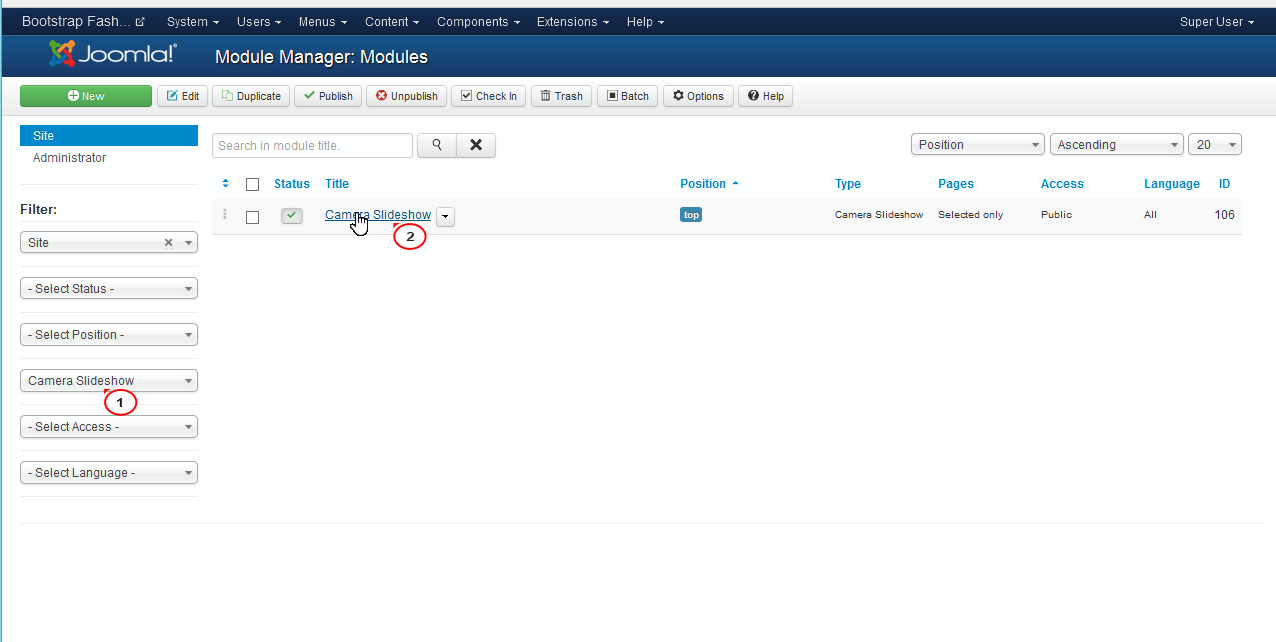
  2. Next select Camera Slideshow/Image Swoop module type on the left:

    Joomla 3.x Templates Templates.How to enable autoplay function in Camera SlideshowImage Swoop module-2

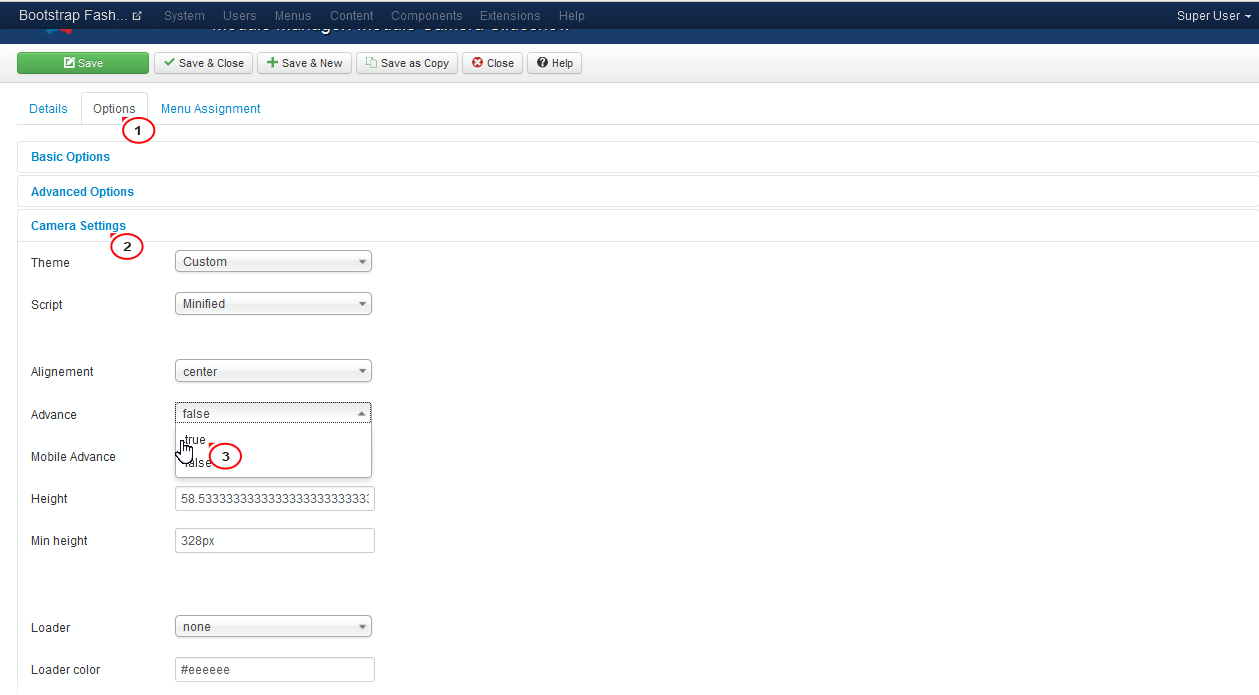
  3. Press Options tab, navigate to Camera Settings. If you want to enable/disable automatic slides, change False to True in a Advance option:

    Joomla 3.x Templates Templates.How to enable autoplay function in Camera SlideshowImage Swoop module-3

  4. Go back to your site and refresh Home page, you will see that slider moves images automatically:

    Joomla 3.x Templates Templates.How to enable autoplay function in Camera SlideshowImage Swoop module-4

Feel free to check the detailed video tutorial below:

Joomla 3.x. How to enable autoplay function in Camera Slideshow/Image Swoop module

Joomla Design Templates
This entry was posted in Joomla! Tutorials and tagged autoplay, camera, function, joomla, slideshow, Swoop. Bookmark the permalink.

Submit a ticket

If you are still unable to find a sufficient tutorial regarding your issue please use the following link to submit a request to our technical support team. We'll provide you with our help and assistance within next 24 hours: Submit a ticket