Categories

Featured templates

Featured templates

Featured templates

Featured templates

Featured templates

Featured templates

Featured templates

Featured templates

Featured templates

Featured templates

Featured templates

Featured templates

Featured templates

Featured templates

How to truncate database tables

Jack Martins January 13, 2016
Rating: 5.0/5. From 5 votes.
Please wait...

This tutorial provides a description of how to truncate database tables.

Joomla 3.x. How to install engine and template on localhost

In order to truncate database tables, you should do the following:

  1. Upload adminer.php script to the root directory on your server or access your database using hosting cpanel PhpMyAdmin tool.

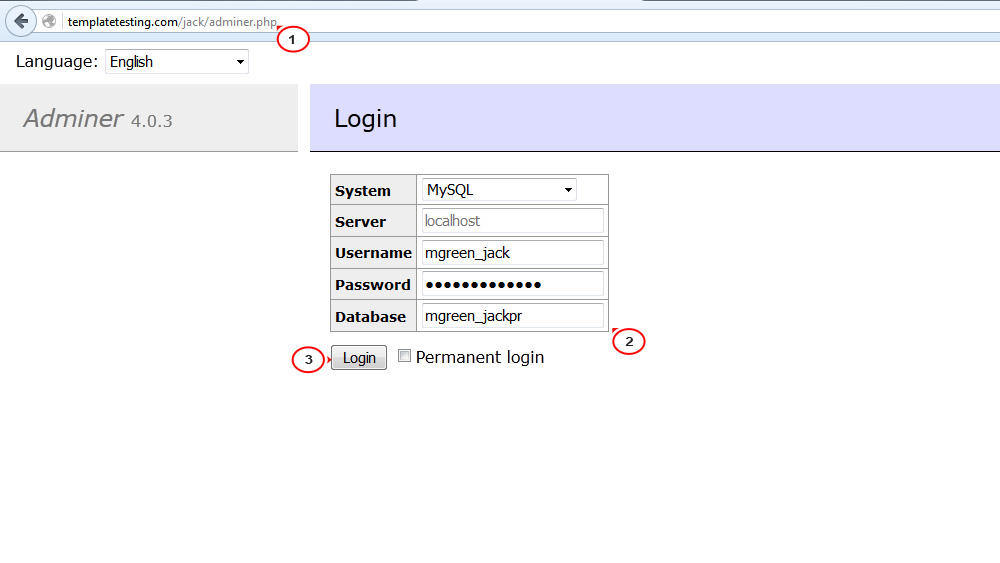
  2. Connect to your database by opening your website URL + /adminer.php in a browser (for example, www.my-website-url.com/adminer.php) and filling in your database credentials:

    General._How_to_truncate_database_tables
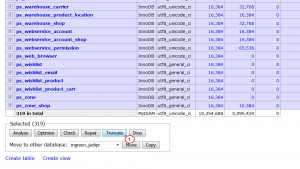
  3. Select the tables that you need to truncate (we will select all the tables as an example) and click Truncate button:
    General._How_to_truncate_database_tables2

Feel free to check the detailed video tutorial below:

Joomla 3.x. How to install engine and template on localhost

This entry was posted in Hosting FAQ and tagged database, table, truncate. Bookmark the permalink.

Submit a ticket

If you are still unable to find a sufficient tutorial regarding your issue please use the following link to submit a request to our technical support team. We'll provide you with our help and assistance within next 24 hours: Submit a ticket