Categories

Featured templates

Featured templates

Featured templates

Featured templates

Featured templates

Featured templates

Featured templates

Featured templates

Featured templates

Featured templates

Featured templates

Featured templates

Featured templates

Featured templates

Drupal 7.x. How to manage comments

George Jones April 7, 2015
Rating: 5.0/5. From 1 vote.
Please wait...

This video tutorial will show how to manage comments in Drupal 7.x.

Drupal 7.x. How to manage comments

  1. Go to Modules section of the admin panel:

    Drupal 7-how_to_manage_comments-1

  2. In the filter list box search for Comments module. Click on Configure in order to get access to all comments:

    Drupal 7-how_to_manage_comments-2

  3. We are going to remove three oldest comments, select them from the bottom of the list, then press ‘Delete selected comments’, press Update button:

    Drupal 7-how_to_manage_comments-3

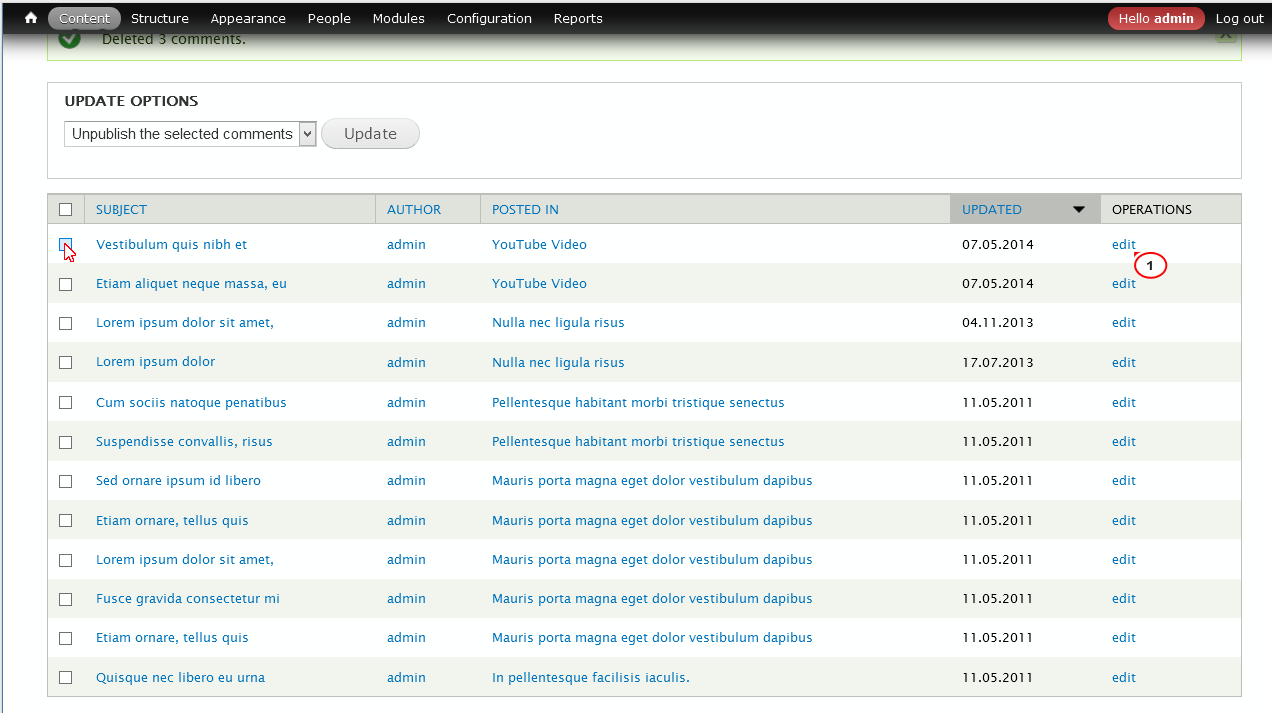
  4. Now we are going to change title and subject of the ‘Vestibulum quis nibh et’ comment, press edit button on the right:

    Drupal 7-how_to_manage_comments-4

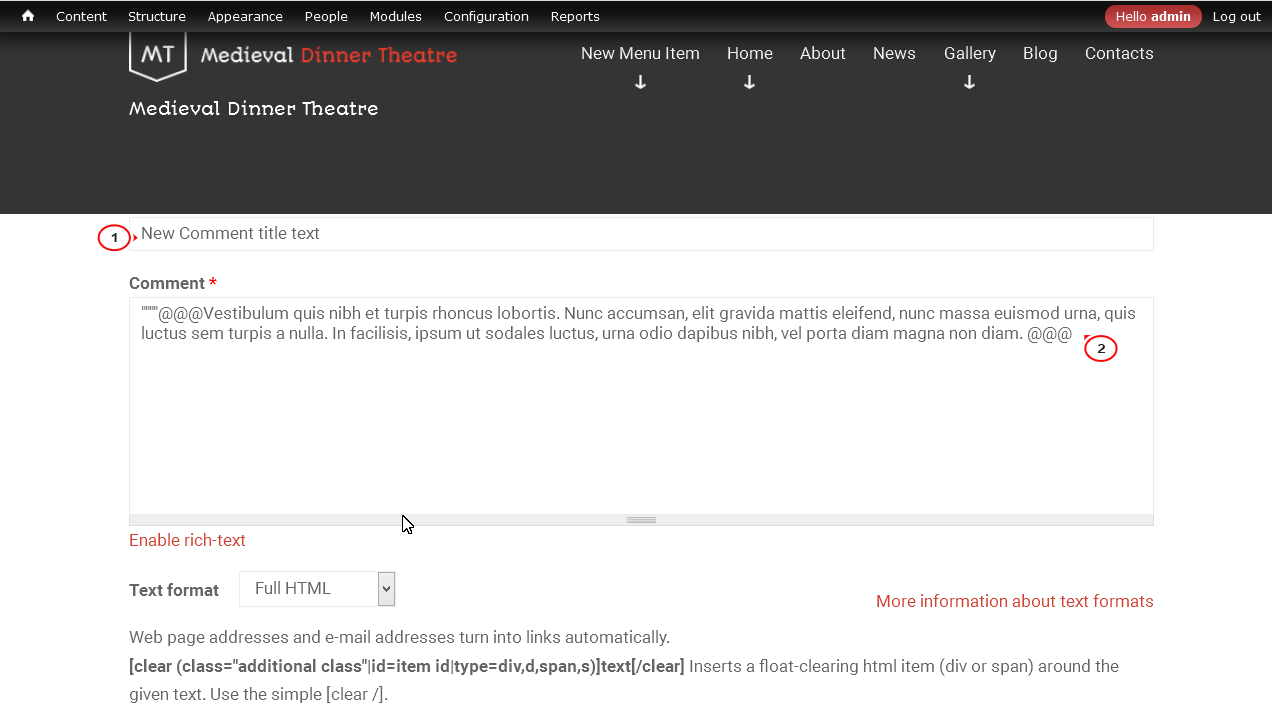
  5. Change Comment title, edit Comment box text, press Save button:

    Drupal 7-how_to_manage_comments-5

  6. You can also sort comments by date (display oldest comments first):

    Drupal 7-how_to_manage_comments-6

  7. We are going to edit one more comment, select Etiam aliquet neque massa, eu and press edit:

    Drupal 7-how_to_manage_comments-7

  8. Change Comment title, edit Comment box text, press Save button:
    Drupal 7-how_to_manage_comments-8

  9. Comment was successfully posted:

    Drupal 7-how_to_manage_comments-9

Feel free to check the detailed video tutorial below:

Drupal 7.x. How to manage comments

Responsive Drupal Templates
This entry was posted in Drupal Tutorials and tagged comment, drupal. Bookmark the permalink.

Submit a ticket

If you are still unable to find a sufficient tutorial regarding your issue please use the following link to submit a request to our technical support team. We'll provide you with our help and assistance within next 24 hours: Submit a ticket