Categories

Featured templates

Featured templates

Featured templates

Featured templates

Featured templates

Featured templates

Featured templates

Featured templates

Featured templates

Featured templates

Featured templates

Featured templates

Featured templates

Featured templates

WordPress. How to use Regenerate Thumbnails plugin

Elina Webb August 11, 2015
Rating: 5.0/5. From 1 vote.
Please wait...

This tutorial shows how to use Regenerate Thumbnails plugin in WordPress.

WordPress. How to use Regenerate Thumbnails plugin

  1. Log into WordPress Admin Panel, go to Plugins > Add New to install the plugin:

    Wordpress-how_to_use_regenerate_thumbnails_plugin-1

    In Search field, type "Regenerate Thumbnails plugin:

    Wordpress-how_to_use_regenerate_thumbnails_plugin-2

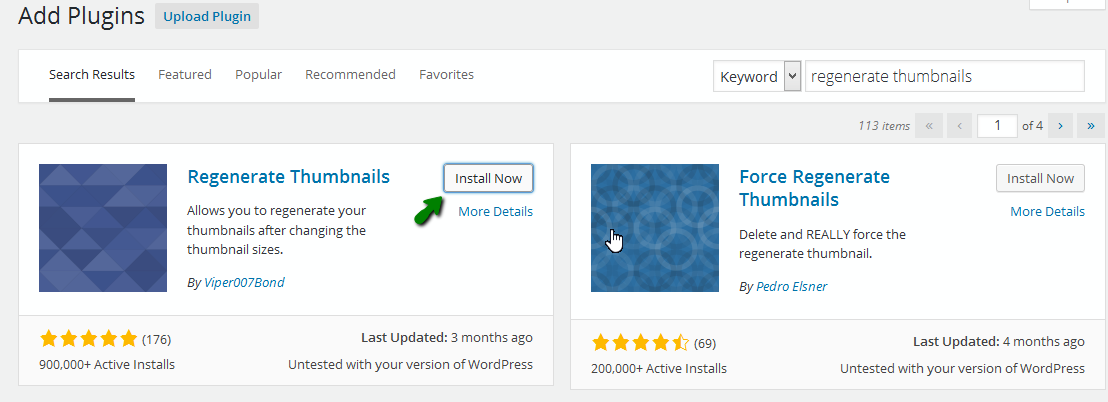
    You will see the plugin from the result list, click on Install Now to start installing:

    Wordpress-how_to_use_regenerate_thumbnails_plugin-3

    After this activate this plugin to use it.

  2. Go to Tools > Regen. Thumbnails:

    Wordpress-how_to_use_regenerate_thumbnails_plugin-4

    You will see the general instruction on using the plugin, “To begin, just press the button below” > “Regenerate All Thumbnails“:

    Wordpress-how_to_use_regenerate_thumbnails_plugin-5

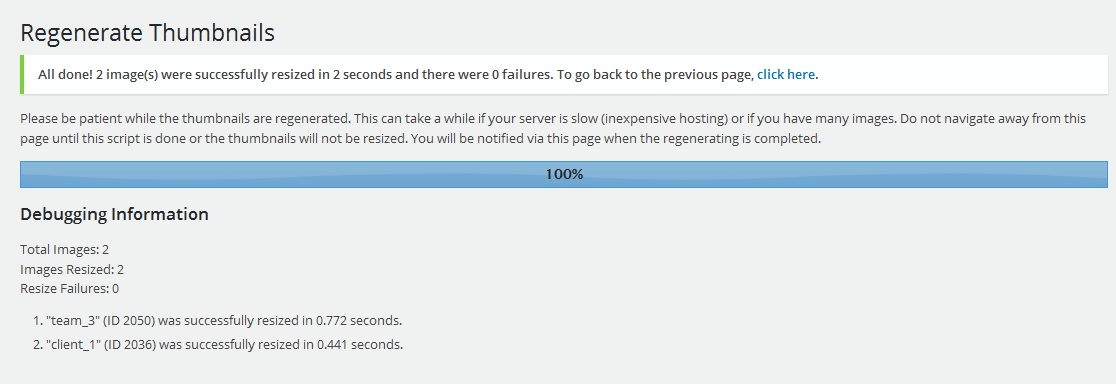
    Wait until the generating is done:

    Wordpress-how_to_use_regenerate_thumbnails_plugin-6

  3. If you need generate some specific thumbnails, go to Media > Library, and choose the thumbnails to generate:

    Wordpress-how_to_use_regenerate_thumbnails_plugin-7

    Then select the thumbnails, from Bulk Actions, select Regenerate Thumbnails:

    Wordpress-how_to_use_regenerate_thumbnails_plugin-8

    The process will start:

    Wordpress-how_to_use_regenerate_thumbnails_plugin-9

Feel free to check the detailed video tutorial below:

WordPress. How to use Regenerate Thumbnails plugin

Wordpress Theme Templates
This entry was posted in WordPress Tutorials and tagged plugin, regenerate, thumbnail, WordPress. Bookmark the permalink.

Submit a ticket

If you are still unable to find a sufficient tutorial regarding your issue please use the following link to submit a request to our technical support team. We'll provide you with our help and assistance within next 24 hours: Submit a ticket