Hello! This video tutorial shows how to fix Google+ icon not displaying issue in your WordPress web-site.
WordPress. How to fix Google+ icon not displaying issue
At times you can see the Google+ icon is not displayed in your social media section although it is set properly in admin panel.
The issue is caused by server settings, since server often does not recognize “+” sign.
Let’s learn how to fix this issue.
-
Access your WordPress dashboard and go to Appearance ->Editor tab.
-
Locate the static-social-networks.php file on the right hand side of the appeared screen and click on its title to open the file:

-
Locate the following code in the opened file:
$social_networks = array("facebook", "google+", "rss", "pinterest", "linkedin");
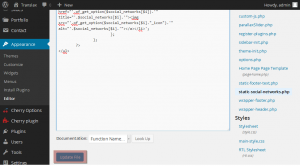
Just change the "google+" to "google". Save the file by clicking on “Update File” button:
Now, you need to change the Google+ icon image name.
-
Access your FTP/hosting control panel File Manager and locate the google+.png file in the /wp-content/themes/theme51224/images/icons/ directory.
-
Just rename the file to google.png .
-
Open your front-end and refresh the page to see changes:

The Google+ icon is now displayed in the social media section.
This is the end of the tutorial, you have learnt how to fix Google+ icon not displaying issue in WordPress templates.
Feel free to check the detailed video tutorial below:
WordPress. How to fix Google+ icon not displaying issue









