Categories

Featured templates

Featured templates

Featured templates

Featured templates

Featured templates

Featured templates

Featured templates

Featured templates

Featured templates

Featured templates

Featured templates

Featured templates

Featured templates

Featured templates

Drupal 7.x. How to manage the Primary links menu

Ryan DeWitt April 13, 2014
Rating: 3.0/5. From 2 votes.
Please wait...

This tutorial shows how to manage the Primary links menu in Drupal 7 templates.

Drupal 7.x. How to manage the Primary links menu

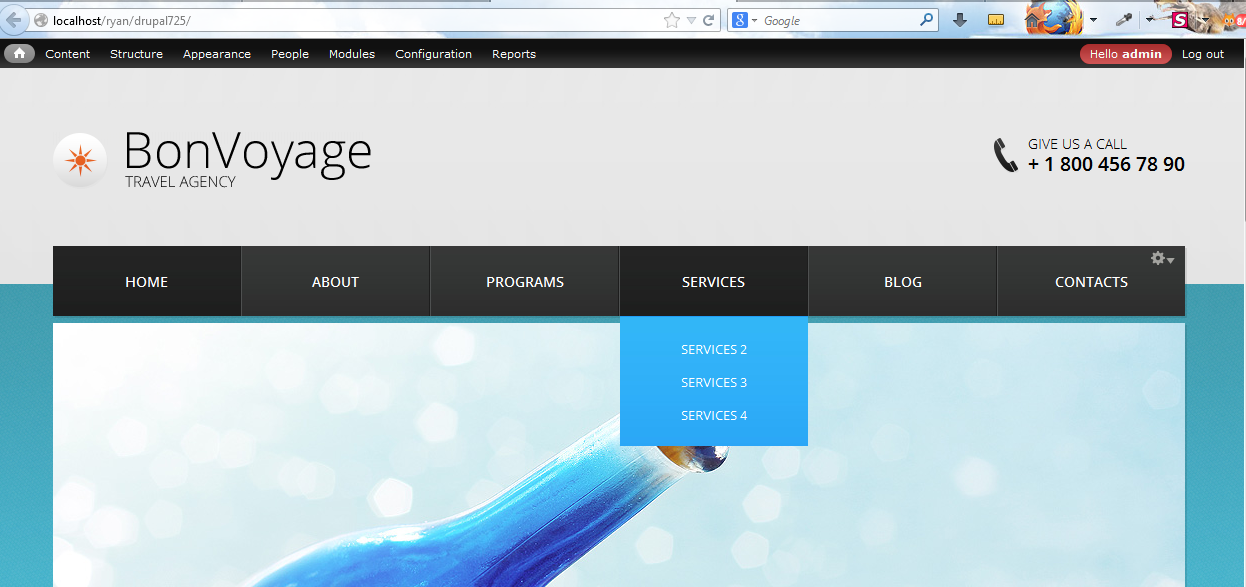
  1. You can see the Primary links menu on the screenshot below.

    Drupal_7.x._How_to_manage_Primary_links_menu-1

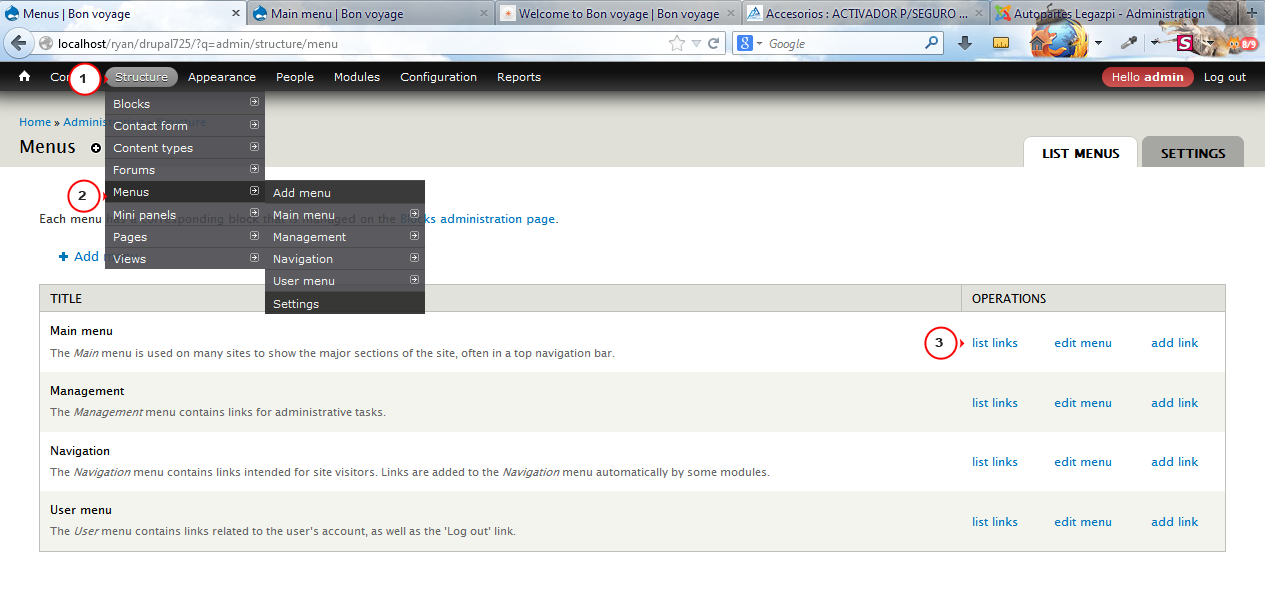
  2. Go to Structure – Menus. You will see several menus. We need the Main menu. Click on list links in order to access the menu links.

    Drupal_7.x._How_to_manage_Primary_links_menu-2

  3. We can see the menu links and sub menus. You can re-order the menu items, change titles of menu links, disable and delete them. Click on edit.

    Drupal_7.x._How_to_manage_Primary_links_menu-3

  4. Change the menu link title and save the changes. Please note that the Path cannot be changed. You will need to create a new link and assign a path to it.

    Drupal_7.x._How_to_manage_Primary_links_menu-4

  5. Uncheck the box in case you want to disable the item. Drag the menu link in order to change its position. Click on Add link in order to add a link to menu.

    Drupal_7.x._How_to_manage_Primary_links_menu-5

  6. Save the changes and check your site.

    Drupal_7.x._How_to_manage_Primary_links_menu-6

Feel free to check the detailed video tutorial below:

Drupal 7.x. How to manage the Primary links menu

Drupal Templates
This entry was posted in CMS & Blog Templates, Drupal, Drupal Tutorials and tagged CMS, drupal, links, manage, primary. Bookmark the permalink.

Submit a ticket

If you are still unable to find a sufficient tutorial regarding your issue please use the following link to submit a request to our technical support team. We'll provide you with our help and assistance within next 24 hours: Submit a ticket