ES
ES RU
RU DE
DE PL
PL IT
IT TR
TR FR
FR BR
BR NL
NL CN
CN CZ
CZ UA
UA HU
HU SE
SE Sale
Sale Math Genius - Maths Learning School Elementor Template Kit
 With a product you will get 6 months of support from the author. To know more about what is included, please read the support policy.
 Sales:
Choose a license
Popular Services from Elementor Kits Experts
 Get in Subscription
MonsterONE - Unlimited Downloads for $14.08/mo
License permits using this item to create unlimited digital end products for sale during the active period of your subscription.
|
Support
Join to Download this Item for Free


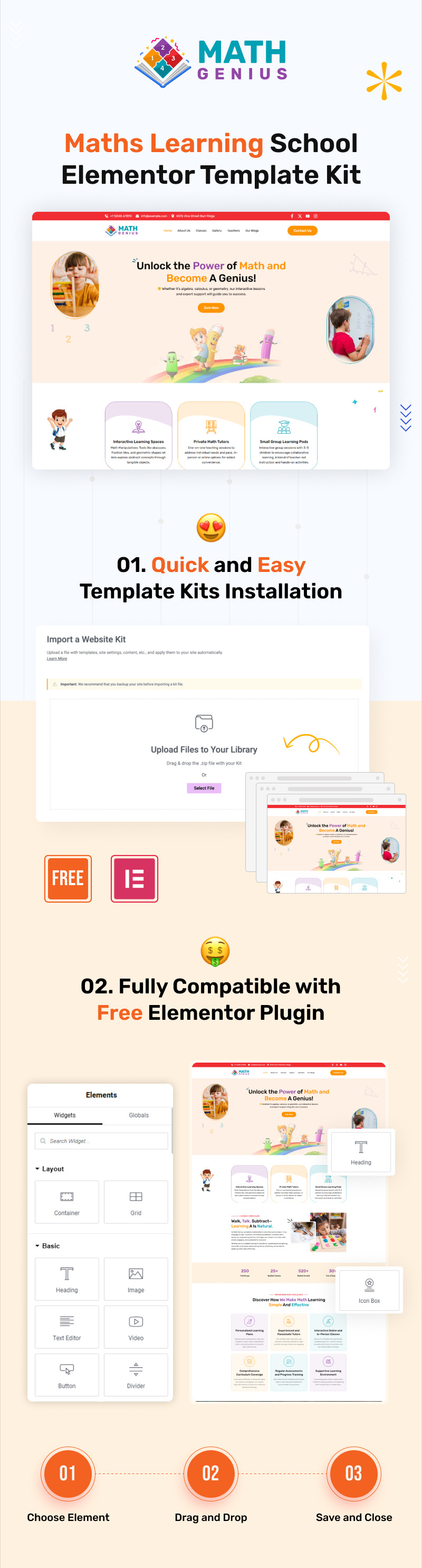
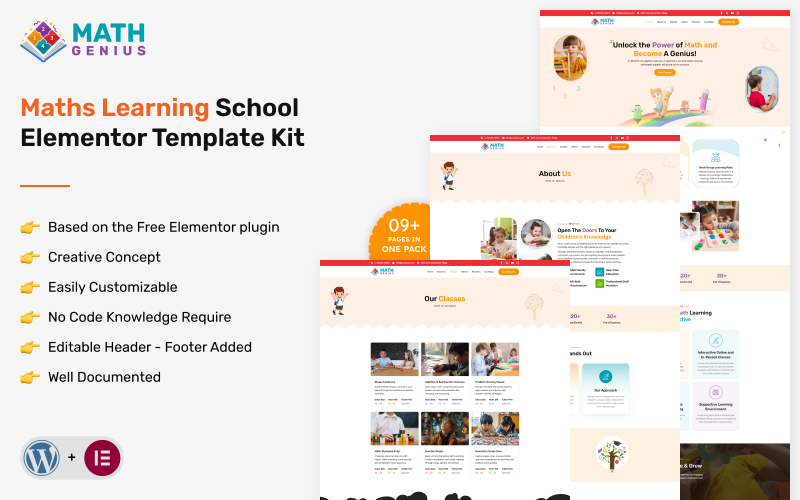
Math Genius – Maths Learning School Elementor Template Kit is a thoughtfully designed, modern, and student-focused toolkit built especially for mathematics schools, online learning platforms, private tutors, and academic institutions. With its smart one-page layout, you can beautifully present your courses, teaching methods, student success stories, faculty details, and contact information—all in an engaging, scroll-friendly format that keeps learners and parents exploring your site.
Created with the free Elementor plugin and fully compatible with WordPress, Math Genius makes building your educational website fast and code-free. Each section has been crafted to highlight what matters most in the learning experience—whether that’s structured math lessons, interactive problem-solving activities, exam preparation, or personalized tutoring programs. The design is mobile-responsive, so your website will look polished on any device, while the SEO-conscious framework helps you attract more students through better online visibility.
Whether you’re launching a new online math academy, setting up a tutoring website, or refreshing the digital presence of your learning institution, Math Genius offers everything you need to create a professional, trustworthy, and engaging platform. With an intuitive interface, organized layout, and no coding required, this template kit saves time while giving you the flexibility to customize every detail.
Key Features:
- Comprehensive Page Set – Includes Home, About, Classes, Gallery, Contact, and more
- Customizable Header & Footer – Tailor your site structure with ease
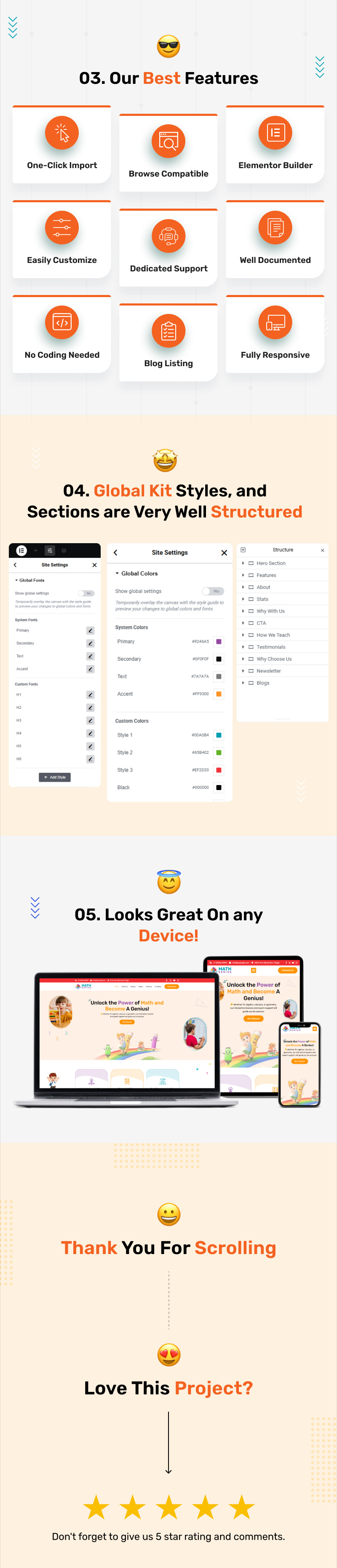
- Effortless Setup – One-click demo import for a fast start
- SEO-Optimized Design – Built for enhanced search engine rankings
- Drag-and-Drop Editing – Full compatibility with Elementor Pro for easy customization
- Fully Responsive & Mobile-Friendly – Looks flawless on all devices
- Cross-Browser Support – Ensures compatibility across major browsers
- Works with Most WordPress Themes
Templates Include
- Home Page
- About Us
- Classes
- Gallery
- Teachers
- Blog
- Blog Detail
- Contact Us
- 404
- Coming Soon
Image Licensing
All images, icons, and assets are included in the ZIP file provided with your purchase. We recommend replacing them with your own branded content. If you choose to use the included assets, please ensure they are properly licensed for your intended use.
Of course, every one of our pictures is utilized with CC0 (Creative Commons Zero) License
Required plugins
- Elementor (free)
- Elementor Pro (need license)
Recommended Theme
- Hello Elementor (free)
How to Import a Template Kit
- Download your main zip folder - unzip this primary folder and you will find folders for the following: Documentation, Media, and OneClickImport.
- For the main uploadable kit file, please go through the "OneClickImport" folder from the extracted folder - Do not unzip (the zip is titled "elementor-kit.zip")
- Go to WordPress Dashboard - Elementor - Tools - Import / Export Kit
- Click Import a Template Kit
- Drag and drop the included site kit zip file to import
- Select the plugins you want to import (you will need an Elementor Pro license) - Click Next
Select which parts you want to apply - for a full site import make sure everything is checked. Click Import
Tips After Importing
- Review our documentation for setup, updates, and tutorial videos.
- After import, update your site logo in the global Site Settings.
- Create a new menu for the header and a separate (or the same) menu for the footer.
- Access full documentation on the demo page and get support through TemplateMonster.
0 Reviews for this product
0 Comments for this product