ES
ES RU
RU DE
DE PL
PL IT
IT TR
TR FR
FR BR
BR NL
NL CN
CN CZ
CZ UA
UA HU
HU SE
SE Sale
Sale My Sample - Prestashop sample request module
 With a product you will get 6 months of support from the author. To know more about what is included, please read the support policy.
 Sales:
Choose a license
Popular Services from PrestaShop Modules Experts
 Get in Subscription
MonsterONE - Unlimited Downloads for $14.08/mo
License permits using this item to create unlimited digital end products for sale during the active period of your subscription.
|
Support
Join to Download this Item


Overview
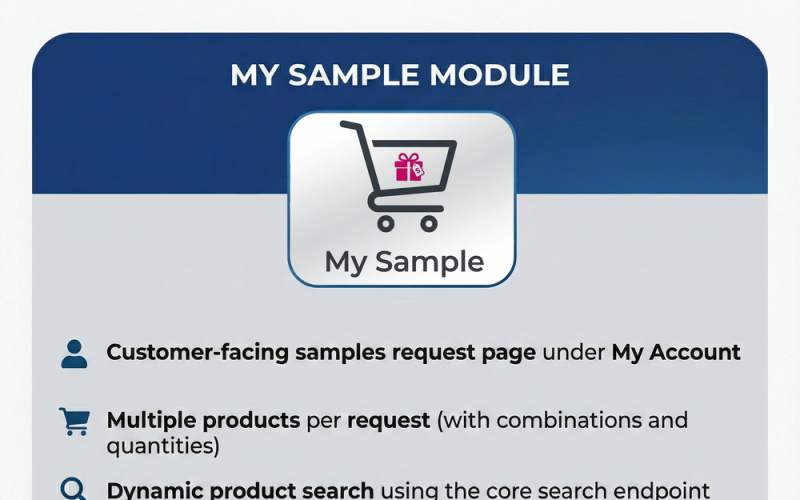
Unlock the full potential of your e-commerce business by offering a seamless "try before you buy" experience with the MySample module. In industries where physical interaction with a product is crucial—such as fabrics, flooring, cosmetics, or wholesale B2B operations—providing samples is a proven strategy to boost conversion rates and build long-term customer trust.
MySample integrates a sophisticated workflow directly into your PrestaShop store, allowing specific customer groups to request free product samples through a dedicated and user-friendly interface in their "My Account" area. Unlike simple contact forms, MySample offers a fully structured system. Customers can search for products using your store's core search engine, select specific attribute combinations, and define quantities within the limits you control.
For store administrators, the back-office management is intuitive and powerful. You gain a dedicated "Sample Requests" dashboard under the Orders menu to review incoming requests with full visibility of customer and delivery data. You maintain complete control over the process with options to accept requests, reject them, or manually convert them into orders immediately. The system handles the technical heavy lifting by automatically applying cart-scoped percentage discounts and generating secure, tokenized links. This allows customers to complete the checkout process smoothly—typically to pay for shipping costs—without unauthorized access.
Key Features
MySample is packed with functionality designed to streamline the sampling process for both merchants and customers:
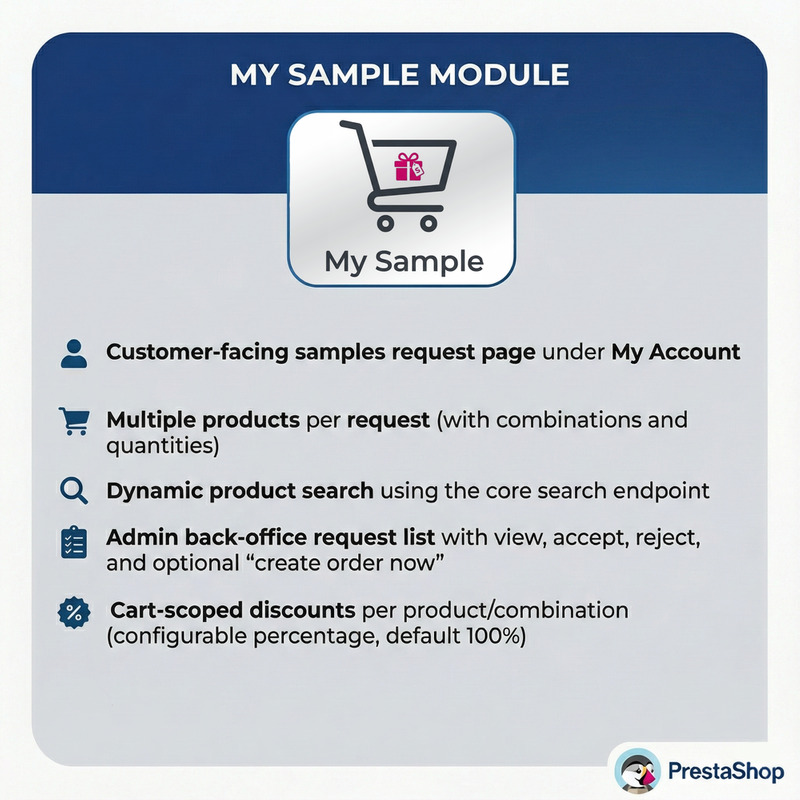
* **Dedicated Sample Interface:** Adds a fully integrated "Request Samples" section within the customer's "My Account" page, accessible only to the customer groups you authorize.
* **Advanced Product Selection:** Allows customers to add multiple products to a single request, supporting specific attribute combinations and custom quantities per item.
* **Integrated Search:** Utilizes PrestaShop’s core search endpoint to provide dynamic, real-time product suggestions as the customer types.
* **Robust Admin Controls:** Provides a comprehensive dashboard for reviewing requests with actions to Accept, Reject, or instantly Create an Order from the back office.
* **Smart Discount System:** Automatically applies cart-scoped percentage discounts for approved sample products (handling combinations correctly) while keeping shipping costs separate if needed.
* **Secure Checkout Workflow:** Generates unique, tokenized checkout links for accepted requests, ensuring that only approved users can finalize the sample order.
* **Abuse Prevention Limits:** protect your inventory with configurable caps on requests per day, quantities per product, and total lifetime requests per user.
* **Automated Notifications:** Sends modern, responsive HTML emails to keep both customers and admins informed at every step (Submission, Acceptance, Rejection, Order Creation).
Customer Flow
1. **Request Initiation:** The customer logs in and navigates to the "My Account" section to find the "Request Samples" tool.
2. **Selection Process:** They search for desired items, select specific combinations (e.g., color or size), set quantities, and choose their preferred delivery address.
3. **Tracking:** Once submitted, the request appears in their history list with a "Pending" status.
4. **Completion:** Upon admin approval, the status updates to "Accepted," and a "Go to checkout" button appears. This links them to a secure cart to finalize the transaction (e.g., paying for shipping).
5. **History:** After the order is placed, the interface automatically links the request to the new order ID for easy reference.
Admin Flow & Management
1. **Monitoring:** Administrators access the "Sample Requests" tab under the Orders menu to view a list of all pending and processed inquiries.
2. **Review:** Clicking on a request reveals detailed information about the customer, the delivery address, and the specific items requested.
3. **Decision Making:**
* **Accept:** Generates a secure token, reserves the approval, and emails the customer the checkout link.
* **Reject:** Marks the request as denied and notifies the customer.
* **Create Order Now:** Bypasses the customer checkout flow and immediately generates an order in the system with discounts applied.
Installation
1. Upload and unzip the `uploadthisfile.zip` directory to your PrestaShop `modules/` folder.
2. Navigate to Back Office → Modules → Module Manager.
3. Locate "Product Samples" and click Enable.
4. A new menu item "Sample Requests" will appear under the Orders tab.
Configuration Options
* **Allowed Customer Groups:** Define exactly which user segments (e.g., Wholesalers, VIPs) have permission to request samples.
* **Global Quantity Limits:** Set a maximum total number of items allowed per single request (Set to 0 for unlimited).
* **Product Specific Limits:** Restrict the quantity allowed for a single product reference (Set to 0 for unlimited).
* **Daily Request Cap:** Limit how many separate requests a customer can submit within 24 hours to prevent spam.
* **Lifetime User Cap:** Set a hard limit on the total number of requests a user can make over time (excluding rejected ones).
* **Discount Settings:** Define the percentage discount applied to sample items (e.g., 100% for free samples).
Technical Routes
* `/module/mysample/requests`: The main front-end controller for the customer requests page.
* `/search`: Handles dynamic product lookups via AJAX (params: s, resultsPerPage, ajax=1).
* `/module/mysample/combinations`: Fetches attribute combinations for a selected product ID.
* `/module/mysample/checkout`: The secure controller that validates `id_request` and `t` (token) to populate the cart.
Database Structure
The module installs the following tables to ensure data integrity:
* `ps_mysample_request`: Stores core request data (ID, customer, status, address, carrier, dates).
* `ps_mysample_request_item`: Relational table linking requests to specific products and attributes.
* `ps_mysample_cart_map`: Maps requests to PrestaShop cart IDs.
* `ps_mysample_checkout_token`: Manages security tokens for the checkout links.
Troubleshooting Tips
* **Missing Link:** If the link doesn't appear in "My Account," double-check the "Allowed customer groups" in configuration.
* **Search Issues:** If no products appear while typing, ensure your shop's search indexing is up to date and caches are cleared.
* **Discount Errors:** If items appear full price in the cart, verify the "Discount percent" setting and ensure the specific price rules aren't conflicting with other cart rules.
0 Reviews for this product
0 Comments for this product