 ES
ES RU
RU DE
DE PL
PL IT
IT TR
TR FR
FR BR
BR NL
NL CN
CN CZ
CZ UA
UA HU
HU SE
SE Unlimited Downloads
  Sale
Sale 














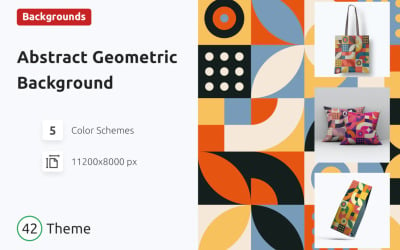














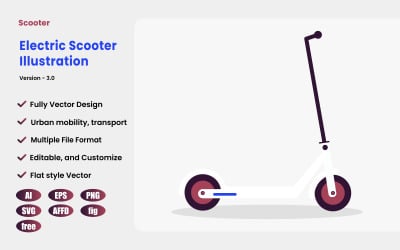





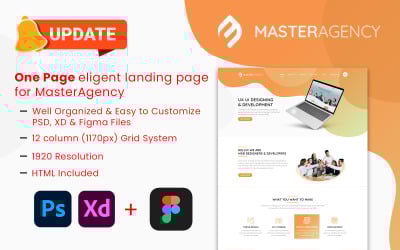

5 Best FIG Graphics & Graphic Design Elements in FIG File Format 2026
| Template Name | Downloads | Price |
|---|---|---|
| KafeWorld - Food and Restaurant Website Figma UI Template | 1 | $16 |
| Life Coach Landing Page UI Design In figma | 1 | $19 |
| Roomiq – Room Control App UI Design Template | 1 | $16 |
| Wellness - Health and Medical Mobile App UI | 1 | $16 |
| Cryptolly - Cryptocurrency Web & Dashboard UI Kit | 4 | $41 |
FIG Graphics
Crafted by professionals and used in various fields, image-making is an essential graphic design tool. It is a must when it comes to conveying your ideas both effectively and beautifully. Premium-quality images can help you catch your audience's attention and make connections with your viewers. Besides, you may always opt for ready-to-use assets that will allow you to save time and effort. Thus, FIG graphics by TemplateMonster is a perfect choice for those who need illustrations to work with Figma. It is a modern platform that draws together trendy design options everyone loves, powerful functionality, and flawless operation. Are you one of such people working in the following software and looking for top-notch graphics for it? We know what to offer you. Read on to learn more.
What is FIG Graphics?
There are two types of graphics: raster and vector. Their difference is that the first one comprises pixels, while the second type consists of paths. The FIG file is a perfect example of vector images. It is specific to Figma, a powerful cloud-based platform that greatly simplifies the design process. The software is excellent for any team-based project. If you are searching for a perfect tool to compose fully-fledged illustrations and prototypes, be sure you have found it.
So, Figma files are available in the .fig file format. As it is suitable only for Figma, you will not open it with other software. When sharing files between Figma accounts or exporting them, the .fig extensions are used.
FIG Graphics Import into Figma
There are a few different ways to import files into Figma. To add your FIG graphics to the application, you may:
- Use a specific File Importer, which icon you may find in the top-right corner of any File page in the File Browser.
- By dragging it from a folder on your computer or desktop. This method is at users' disposal on both desktop and browser-based apps.
Click here if you want to learn more.
Best FIG Graphics from TemplateMonster
At our TemplateMonster marketplace, you may find comprehensive collections of ready-to-use graphics. Produced by professional web and graphics designers, they will be a great solution for many purposes. Besides, our platform has a user-friendly search bar. Finding the right graphic product for your needs and preferences is easy now. As well, you can filter the search result by category, topic, and compatible software.
Our gallery with various assets for any taste will surprise you. You may download them with a single purchase or using a MonsterONE subscription. Along with cost-effective offers and pricing options, you will discover multiple advantages:
- Premium double-checked quality;
- All the official licenses needed;
- Many customization alternatives;
- Regular product range updates;
- Professional technical support, and far more.
FIG Graphics FAQ
What is FIG graphics?
FIG is the native format for importing designs into Figma vector-based graphics editor and application prototyping software.
What is FIG graphics used for?
You may use it for any type of graphic design work. Importing such files to Figma, you are free to use them for:
- Crafting wireframing online sources.
- Developing mobile app interfaces.
- Completing social media posts and more purposes.
How to open FIG graphics?
For this, you need the Figma application. It is a free-to-use design software but provides additional characteristics for paying subscribers. Beyond that, it is cloud-based, so that you will need an internet connection to access its full functionality.
Does FIG graphics come in a vector or raster file?
It is a vector file format. It is more flexible than raster graphics. One of its most cutting-edge pros is that vector-based figures are perfectly scalable. Besides, they come with no sizing limits.