 ES
 RU
 DE
 PL
 IT
 TR
 FR
 BR
 NL
 CN
 CZ
 UA
 HU
 SE
 Unlimited Downloads
 Sale

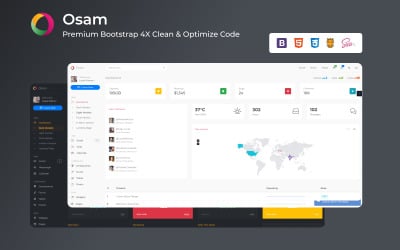


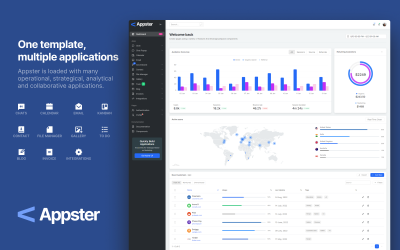
3 Best Online Chat Admin Panel Templates 2026
| Template Name | Downloads | Price |
|---|---|---|
| All-in-One Support System: HelpDesk, Ticket & Support System for any Application | 1 | $39 |
| Medical and Property Management Admin Template: Osam - Simplify Your Workflow | 5 | $24 |
| Appster - Admin CRM Application Template | 38 | $51 |
How to Use Chat Dashboard Templates Video
Chat Dashboard Templates FAQ
Who Can Use Chat Admin Layout?
Backend skins will be helpful for any business: traveling, blogging, hotel, restaurant, real estate, hospital, IT, design, marketing, advertising, job search, rent, online sale of clothes, shoes, accessories, cosmetics, medicines, etc.
Your employees will also need a panel for work: general director, financier, analyst, marketer, sales manager, support agent, etc.
Why Do I Need to Use Chat Dashboard Templates?
The information panel provides a wide range of possibilities: data systematization and visualization, presenting them to the consumer in the form of a simple diagram, obtaining reliable and relevant results, observing the dynamics of the process, issuing data in the required hierarchy to make a comparison, selection of critical information to keep under control, optimization of the study of a large amount of information, receiving information in a customized form.
What Reports Do I Get with Admin Panel?
- Regular analytics is on set indicators. You monitor trends, get an analysis of the situation, and adjust business tactics.
- Operational reports. You get hourly, daily, monthly, and yearly results automatically. It allows you to have up-to-date data and compare them.
- Formation of strategic changes.
How to Get Admin Theme from TemplateMonster?
You need to register on the TemplateMonster website. After that, you add the required product to the cart. Fill in the billing information and go to checkout. Choose a convenient payment method and place an order. After the verification stage, you download the skin to your account.