 ES
 RU
 DE
 PL
 IT
 TR
 FR
 BR
 NL
 CN
 CZ
 UA
 HU
 SE
 Unlimited Downloads
 Sale















5 Best Pink PSD Themes 2026
| Template Name | Downloads | Price |
|---|---|---|
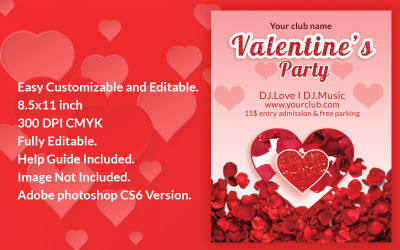
| Valentines Day Flyer PSD Template | 0 | $8 |
| Appex-App Landing Page PSD Template | 1 | $13 |
| Child - NonProfit Charity PSD Template | 0 | $13 |
| Alex_Personal Cv Resume PSD Template | 0 | $15 |
| Basketball Club and Game PSD Template | 0 | $15 |
Helpful Video On The Topic
Pink PSD Templates FAQ
How to order a pink PSD set?
After you have decided on the appearance after watching the demo, start ordering. Open the product page. There are license options and costs. Hover your mouse over the tariff to determine what each payment option offers. Then mark the desired variant and put it in the basket. You may also add one of the required services from TemplateMonster at this stage. Find a list of those offered under license variants. Also, please familiarize yourself with every service option at the link. Then fill out the order form. Enter your email where you want to receive the item. Pay online and receive an e-letter.
How to download pink PSD templates?
After you paid for your order, please check your email. There will be a letter from TemplateMonster. Open it. Find the attached file. This thing is a purchased product and instructions for it. Click on the file and choose which folder on the computer to save the purchase. Download your new items and start setting up.
How to edit pink PSD templates?
To proceed with the settings, first, check the attached instruction. This manual contains sections with descriptions of the most exciting and favored settings. Upload the layout to any of the previously described graphic editors. Find the desired layer and edit it.
Is there support?
Yes, customers enjoy the service from the author for six months for free! The bonus is available for all customers on TemplateMonster. It's nice to know the specialist is behind and ready to answer any time and day. Make a ticket with the question and receive the message immediately.