 ES
ES RU
RU DE
DE PL
PL IT
IT TR
TR FR
FR BR
BR NL
NL CN
CN CZ
CZ UA
UA HU
HU SE
SE Unlimited Downloads
  Sale
Sale 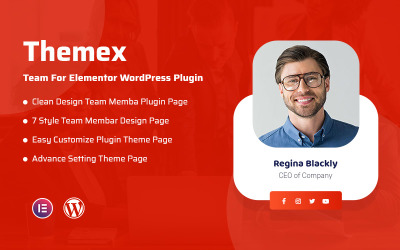
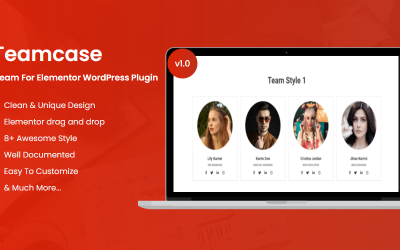



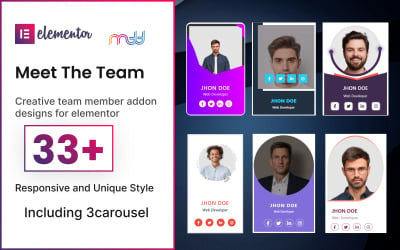


5 Best Team Members Plugins and Extensions 2025
Team Members Plugins - Top-Notch Way to Introduce Your Specialists
Nowadays, many scammers on the Internet sell low-quality services or even get money illegally. That is why customers take all precautions when choosing a company for cooperation. How to gain excellent credibility for your business and convey reliability? One of the best ways is to introduce your staff to clients! This trick simulates visual contact between users and employees and inspires trust. All you need to do is add the team members plugins and customize them according to your preferences. No coding and significant investments! At the same time, you are guaranteed a professionally made page with a fully responsive and stunning design. Want to know more about this offer? Let's get started!
Company Members Modules - Key Benefits for Your Business
How about introducing users to your team and impressing them with your professionalism? It is the ideal solution to build a trusting & long-lasting relationship with your clients. There is one stumbling block left for those who do not have IT skills: adding a feature to a website. It takes a lot of time and effort to add an entire page, customize the design and implement widgets yourself. Plugins from the collection are the perfect solution.
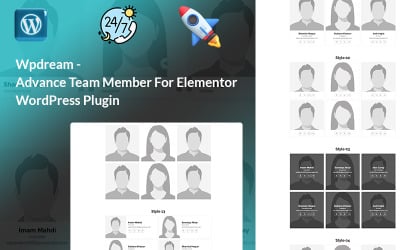
These extensions allow you to build a complete presentation page for your website for your specialists. With them, you tell about their education, experience, awards, and opening hours and convince customers of their expertise. The main advantage of modules is that they are easy to use and do not require coding skills. You implement all the elements and customize them according to your preferences. This approach allows you to have professional results without difficulties and puzzles.
Find out more features of these extensions here:
- high quality - assets are of high quality due to the hard work of reliable professionals;
- fully customizable - you easily change elements, including colors and images, in these modules thanks to a convenient editor;
- responsive layout - your staff members page looks perfect on all devices due to responsiveness;
- performance optimization - these items do not slow down the operation of the entire website and guarantee bug-free work under any conditions;
- compatibility - at your service are the best WordPress assets for different versions and page builders, like Elementor or Gutenberg;
- regular updates - the authors work on their products to provide you with the most trendy and modern options.
How to Deal with Team Members Modules?
Working with assets from the collection does not cause difficulties but brings pleasure. These solutions are easy to use and suitable for IT beginners. However, you should go through several stages, from choosing the best product to installation, before interacting with them. How to cope with all tasks quickly and without difficulties? Refer to the short instructions to succeed and get to work:
- First of all, formulate your goal and visualize the desired result. Also, decide on all questionable points. What design do you want to implement, and what are the details of your team page? Solve these questions and move on.
- Next, choose the most suitable product to bring your ideas to life. To do this, indicate your preferences in the sidebar, including features and builders. Also, check out all the ins and outs of the assets you like. Study the description and read the reviews to add impressions about the plugin. Contact the pre-sales team for a comprehensive consultation if you have additional questions.
- Proceed to purchase and download the module. After payment, you will receive a link to the product by email or in your account. Follow it to download. Then install the plugin through the WordPress admin panel by selecting the zip file on your laptop.
- Activate the extension and start customizing your upgrade. Good luck!
Top 10 Website Template Trends 2025
Team Members Plugins FAQ
What are team members plugins?
These are ready-made extensions with which you create the perfect team members page for your resource.
May I add the photos I want to the team members plugins?
Yes. These modules are fully customizable, so adding photos, changing colors, and choosing fonts is no problem.
Do I need coding skills to work with team members plugins?
No. The extensions are easy to use and require no coding skills, thanks to their compatibility with drag-and-drop editors.
Are team members plugins suitable for a WordPress site?
Yes. Assets work with different versions of WordPress without problems.