ES
ES RU
RU DE
DE PL
PL IT
IT TR
TR FR
FR BR
BR NL
NL CN
CN CZ
CZ UA
UA HU
HU SE
SE Sale
Sale WP Optimal State - WordPress Optimization, Cleanup & Security Suite
 With a product you will get 6 months of support from the author. To know more about what is included, please read the support policy.
 Sales:
Choose a license
Popular Services from WordPress Plugins Experts
 Get in Subscription
MonsterONE - Unlimited Downloads for $14.08/mo
License permits using this item to create unlimited digital end products for sale during the active period of your subscription.
|
Support
Join to Download this Item


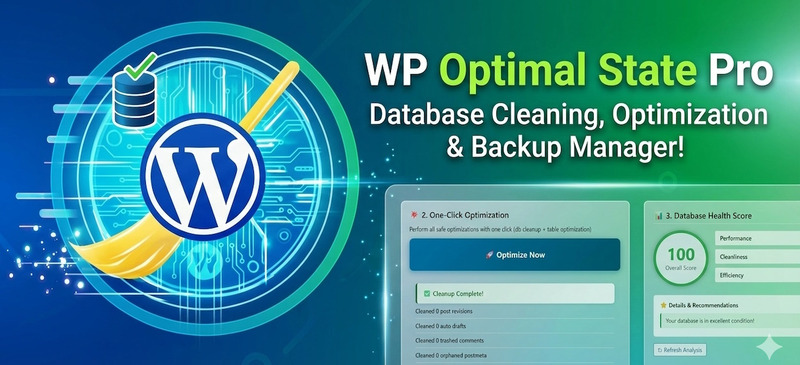
WP Optimal State Pro: The Infrastructure Suite for High-Performance WordPress
Unlock the full potential of your website with WP Optimal State Pro, a unified optimization engine designed to replace multiple disparate tools. By integrating server-side caching, enterprise-grade database management, and automated maintenance into a single interface, this plugin transforms how your WordPress installation handles data, ensuring reliability and speed without the technical headache.
Why Database Health Matters
Over time, WordPress databases suffer from fragmentation and data residue—ranging from thousands of post revisions and expired transients to orphaned metadata left behind by deleted plugins. This invisible bloat increases query execution time and slows down your Time to First Byte (TTFB). WP Optimal State Pro creates a streamlined environment where your content is served faster and your server works smarter, not harder.
Key Features & Capabilities
1. Forensic Database Cleaning & Optimization Go beyond basic cleanup. The plugin offers granular control over 14 specific data types, allowing you to scrub widely recognized bloat like auto-drafts and spam comments, as well as hidden performance killers like orphaned term relationships and duplicate post meta.
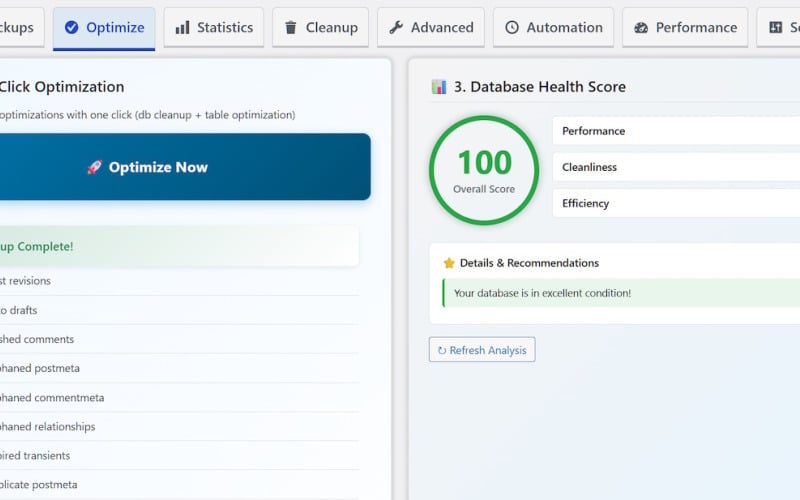
- One-Click Optimization: Instantly executes all safe cleanup tasks and runs OPTIMIZE_TABLE commands to reclaim unused disk space.
- Deep Analysis: The built-in Table Analyzer visualizes your database structure, highlighting third-party tables and identifying potential issues with overhead or corruption.
2. Timeout-Proof "Chunked" Backup Architecture Reliability is the core of our backup system. Unlike standard backup tools that often fail on large sites due to server timeouts, WP Optimal State Pro utilizes a smart chunking system. It processes backups and restores in small, manageable segments to ensure completion regardless of your database size.
- Safety First: Every restore operation automatically triggers a temporary "Safety Backup" beforehand. If anything goes wrong, the system performs an Instant Rollback, reverting your site to its previous state to prevent data loss.
- Integrity Verification: Every backup file is scanned with SHA-256 checksums to ensure file integrity before it is ever used for restoration.
3. Privacy-Aware Server Caching Speed up your site significantly with a dual-layer caching system that works alongside your database optimization.
- Smart Cookie Detection: The caching engine is GDPR-ready. It intelligently detects consent cookies from major privacy plugins (like CookieYes, Complianz, and Borlabs), ensuring cached pages are served legally and correctly.
- Static HTML Generation: Bypasses heavy PHP processing by serving pre-rendered HTML copies of your pages.
- Preloading: Automatically builds the cache from your sitemap so visitors always encounter a fast-loading page.
4. Advanced Performance Tuning Reduce server load by disabling unused WordPress protocols. With simple toggles, you can limit the Heartbeat API frequency, block XML-RPC attacks, disable self-pingbacks, and remove unnecessary scripts (like Emojis or Embeds) that add weight to your page load.
5. Search & Replace Utility Migration made easy. The included Search & Replace tool handles serialized data correctly, allowing you to update URLs or text strings across your entire database without breaking widgets or plugin settings. It includes a "Dry Run" mode so you can preview changes before applying them.
6. Automated Maintenance Set your maintenance schedule and relax. Whether daily, weekly, or monthly, WP Optimal State Pro runs silently in the background to back up your data and scrub the database. Detailed email notifications keep you informed of every operation's success.
Essentially, WP Optimal State Pro is four plugins in one:
- Database Cleanup and Optimization
- Database Backup and Restore
- Database Search & Replace
- Caching and Performance Tuning
It can easily replace the following plugins, saving you a considerable amount of money:
- UpdraftPlus, WP Database Backup, WP Rocket, WP Super Cache, WP-Optimize, Better Search Replace, Heartbeat Control, Perfmatters, WP Revisions Control, Clearfy, Advanced Database Cleaner, Autoptimize.
Note: Designed exclusively for single-site WordPress installations to ensure maximum stability and security.
Key Features
- One-click database optimization
- Remove leftovers from deleted plugins
- Secure database backup & restore system
- Database health score & recommendations
- PageSpeed Metrics & Recommendations
- Automatic scheduled optimization
- Performance Features Manager
- Email notifications for scheduled tasks
- Safety backup before restore operations
- Detailed database structure analysis
- Efficient page caching + browser caching
⚠️ Compatibility Notice: This plugin is designed for single-site WordPress installations only. It is not compatible with WordPress Multisite networks.
--------- HOW TO INSTALL ---------
Manual Installation
- Download the plugin ZIP file
- Log in to your WordPress admin dashboard
- Navigate to Plugins → Add New
- Click Upload Plugin at the top
- Click Choose File and select the ZIP file
- Click Install Now
- Click Activate Plugin when installation completes
- Look for “Optimal State” in your admin menu
Installation via FTP
- Download and extract the plugin ZIP file
- Upload the extracted plugin folder (named optistate) to /wp-content/plugins/
- Log in to your WordPress admin dashboard
- Navigate to Plugins
- Find “WP Optimal State Pro” and click Activate
- Look for “Optimal State” in your admin menu
---------------------------------
Changelog
v1.5.0 - August 2026:
- New Performance Feature: Cron Manager.
- New admin capability: Reset the 2FA settings of any user.
- Refactored the Backup Manager class by splitting it into two smaller classes.
- Refactored the Advanced Tools class by splitting it into two smaller classes.
- Many bug fixes and improvements across several classes and functions.
0 Reviews for this product
0 Comments for this product