 ES
ES RU
RU DE
DE PL
PL IT
IT TR
TR FR
FR BR
BR NL
NL CN
CN CZ
CZ UA
UA HU
HU SE
SE Unlimited Downloads
  Sale
Sale 






5 Best Funeral Services WordPress Themes & Templates 2026 2026
| Template Name | Downloads | Price |
|---|---|---|
| Empte - Poor Nonprofit and Charity WordPress Theme | 37 | $35 |
| Final Path – Funeral Home Elementor WordPress Theme | 63 | $51 |
| Ashton - Funeral & Cemetery Services WordPress Theme | 56 | $59 |
| Woforest - Carpenter and Craftsman Service WordPress Theme | 10 | $34 |
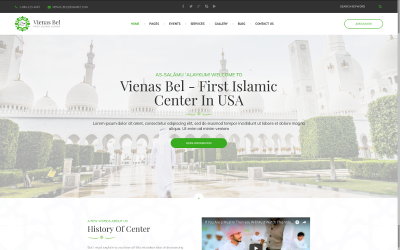
| VienasBel - Islamic Religious and Cultural Center WordPress Theme | 26 | $82 |
Great Video Tutorial for Best Funeral Home WordPress Themes
Today savvy entrepreneurs use WordPress themes to create a website rather than design everything from scratch. This is the simplest, the quickest and the most cost efficient way to make a website. So, we advise you to use WordPress templates for the purpose.
Funeral Services WordPress Themes FAQ
How do Cremation Services WordPress themes work?
WordPress theme template files are written in PHP and HTML, and end in the file extension .php. All of your blog's unique information (including your site name, your blog posts, and every single comment) is stored in a MySQL database. That information is retrieved from the database using the programming language PHP. Then, the retrieved information is displayed via your theme's template files, using HTML and CSS.
Which Mortuary Services WordPress themes are mobile-friendly?
All WordPress themes that are available in TemplateMonster inventory are optimized for the flawless performance on smaller screen sizes.
What is Cremation Services WordPress theme development?
The development of WordPress themes involves the creation of the theme's code, page layouts and so on.
How can I update my Cemetery Services WordPress theme?
The majority of WordPress themes offer automatic updates. In order to update your current WordPress theme, navigate Dashboard >> Appearance >> Themes, pick the current theme, then simply click the button 'Update Now' to attempt the upgrade.
How to reset a Mortuary Services WordPress theme?
- Install the plugin WordPress Database Reset.
- Go to Tools > Database reset. The Database Reset plugin will delete all content on your WordPress site. Choose the tables that you'd like to reset or Select All to reset your site completely.

Fresh Collection of Business Templates by TemplateMonster
We have already written posts about how easy it is to create a website with a template. It’s even easier with the help of TemplateMonster because our templates come with life-long support.
Read me 
Where to Get the Best WordPress Customer Support?
We have already written posts about how easy it is to create a website with a template. It’s even easier with the help of TemplateMonster because our templates come with life-long support.
Read me

All That a Website Can Be: Best Multipurpose WordPress Templates
We have already written posts about how easy it is to create a website with a template. It’s even easier with the help of TemplateMonster because our templates come with life-long support.
Read me

Make Your Website AMP Ready to be Appreciated by Google
We have already written posts about how easy it is to create a website with a template. It’s even easier with the help of TemplateMonster because our templates come with life-long support.
Read me