 ES
ES RU
RU DE
DE PL
PL IT
IT TR
TR FR
FR BR
BR NL
NL CN
CN CZ
CZ UA
UA HU
HU SE
SE Unlimited Downloads
  Sale
Sale 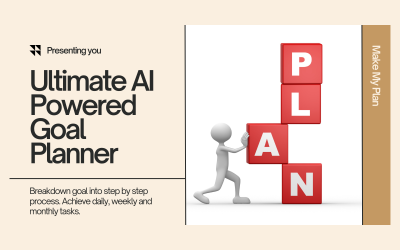




5 Best One Page Plugins and Extensions 2025
| Template Name | Downloads | Price |
|---|---|---|
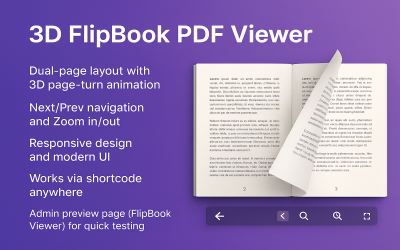
| 3D FlipBook PDF Viewer wordpress plugin | 0 | $19 |
| Make My Plan | Goal Planning Application | 0 | $44 |
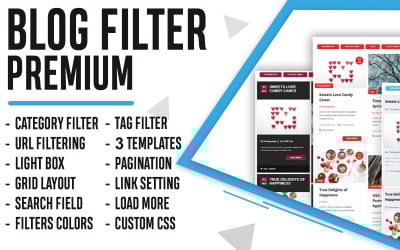
| Blog Filter Wordpress Plugin | 0 | $39 |
| Photo Gallery WordPress Plugin | 0 | $22 |
| Rock Paper Scissors Game: Modern Duel - Play Now and Triumph! | 0 | $19 |
Top One-Page Plugins to Improve Your Website
Modern websites are a harmonious combination of attractive design and powerful functionality. This set can attract clients' attention with interface elements and keep them on the page thanks to convenient features. Entrepreneurs strive to incorporate the best tools, buttons, and widgets into their projects to overcome the competition and win the race for popularity. Do you want to become a well-known corporation and make the website your calling card and business engine? Equip it with top features with one-page plugins!
The main advantage of these extensions is that you do not need coding skills or experience to customize them. Everything is much easier! You choose a module from the collection, do the installation and customization, and enjoy the perfect professional result. Find all the details right now to start your journey to new opportunities as soon as possible.
One-Page Modules - What Are They?
Have you been planning to add zest to your site for a long time or make it richer in features? The main stumbling block before translating your ideas into IT is the lack of coding skills. It entails specialist assistance or long hours of development from scratch. If you want to handle all tasks quickly and without problems, discover extensions from the collection!
These modules allow you to add the necessary functionality for a page. Are you looking for a scheduler for your staff or one-page checkout WooCommerce plugins? You are in the right place. Solutions from the library provide different features and blocks for your resource to make it as convenient and flexible as possible. The significant advantage is that all products are professional and ready to work with large-scale projects. You don't have to worry about the quality - all the details are top-notch. Check out more features of plugins here:
- performance optimization - assets operate quickly and without bugs under any conditions, so they do not slow down the performance of the entire site;
- responsive layout - one-page layouts look perfect on any device, including smartphones, tablets, and laptops, thanks to responsiveness;
- compatibility - items from the collection work with different versions and builders of WordPress CMS;
- great variety - the library has assets for any purpose and ideas, including countdown, pricing, scheduler, discount alert, and others;
- regular updates - specialists work on their solutions and release improvements for them for free;
- 24/7 technical support - the authors of the modules and the support team of TemplateMonster are always ready to help you and fix problems in your purchases.
How to Deal with One-Page Extensions?
Dealing with IT solutions from the library does not cause difficulties or inconvenience. Thanks to optimization and great functionality, these modules provide fast and pleasant customization of all elements. Before you start, you should decide on some of the required steps, including selecting, installing, and activating an asset. It is easy with some tips. Use these tricks to excel in all tasks:
- First of all, choose the right product. Here you need to define several steps, from visualizing the result to checking the quality. Start by formulating a clear plan and ideas for your project. Next, find a solution with which you implement your concept and integrate the right tool. Check the description, reviews, and demo, and proceed to purchase.
- After payment, you will receive the file by email or in your account. Download it and go to the WordPress admin panel in the Plugins section. Select the Add New option and find an asset on your laptop. Wait for the download and click the activation button.
- The most exciting and final process is already on the threshold! Customize the plugin, add your content, and make it stand out. If everything is ready, start operating and enjoy the perfect project!
How To Choose a WordPress Theme?
One-Page Plugins FAQ
What are one-page plugins?
These are extensions with which you add widgets or features to a page on your website. They allow you to implement a countdown, checkout page, pricing plan, and other blocks.
May I edit one-page plugins?
Yes. Modules are fully customizable, so you modify them with the handy drag-and-drop editor.
Are one-page plugins compatible with WordPress?
Yes. Assets are compatible with WordPress and deal with different versions of it.
How to get multiple one-page plugins?
If you are working on many projects, then pay attention to MonsterONE. With this subscription, you get access to a large number of plugins, templates, and graphics with just a payment.