 ES
ES RU
RU DE
DE PL
PL IT
IT TR
TR FR
FR BR
BR NL
NL CN
CN CZ
CZ UA
UA HU
HU SE
SE Unlimited Downloads
  Sale
Sale 



























5 Best WordPress Themes with Blog Feature 2026
| Template Name | Downloads | Price |
|---|---|---|
| Hazel - Clean Minimalist Multi-Purpose WordPress Theme | 4,065 | $89 |
| Consalt - Consulting Responsive WordPress Theme | 215 | $49 |
| Monstroid2 - Clean Multipurpose Business Consulting & IT Technology WordPress Elementor Theme | 14,673 | $59 |
| Poket - Business And Multipurpose Responsive WordPress Theme | 1,308 | $37 |
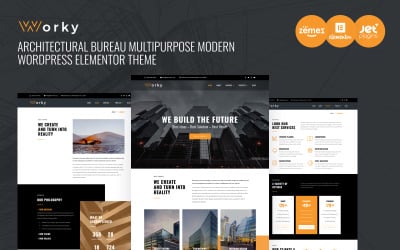
| Worky - Architecture Elementor WordPress Theme | 627 | $59 |
How to List Blog Posts Attractively?
Watch this short video with detailed instructions on creating post lists and video playlists to diversify your blog page. By the way, all the settings are shown on our WordPress blog themes. So, you can repeat the steps based on the selected product from our collection.
Blog WordPress Themes Questions and Answers
Are WordPress blog themes fully responsive?
Yes, we guarantee the responsiveness as it influences the website traffic directly. The correspondence is simple: the more devices your web page is accessible on, the more clients reach it. This feature also assures potential clients to stay on the website. It is more convenient to surf a simple web-interface with your phone than to run into a PC version with its tiny letters.
How to choose WordPress blog themes?
See the categories in the right columns on our web page. Click on several of them, and the preferable WordPress blog themes will appear. Then check out each template separately to find the needed one.
How to buy WordPress blog themes?
Follow the steps:
- Find the desired theme.
- Add it to the cart.
- Go to the cart, then choose and verify the payment option.
- Discover the link on the product in your email.
- Download and start installation.
Can you help me to install WordPress blog templates?
Yes, we can. We offer many additional services. They include:
- Website installation;
- Content writing;
- Logo creation;
- WordPress's plugins, and many more.
The TemplateMonster team is always willing to give you a hand.