 ES
 RU
 DE
 PL
 IT
 TR
 FR
 BR
 NL
 CN
 CZ
 UA
 HU
 SE
 Unlimited Downloads
 Sale
































5 Best WordPress Themes for Blogging 2026
| Template Name | Downloads | Price |
|---|---|---|
| Consalt - Consulting Responsive WordPress Theme | 230 | $34 |
| Hazel - Clean Minimalist Multi-Purpose WordPress Theme | 4,070 | $62 |
| Monstroid2 - Clean Multipurpose Business Consulting & IT Technology WordPress Elementor Theme | 14,680 | $41 |
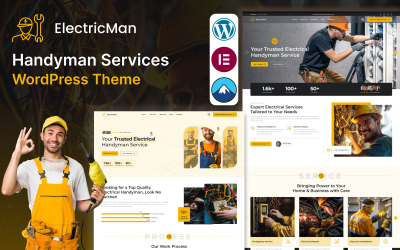
| Handyman Renovation Services Elementor WordPress Theme | 118 | $41 |
| Poket - Business And Multipurpose Responsive WordPress Theme | 1,313 | $26 |
Perfect WordPress Theme for Blogging Video Review
This awesome WordPress theme for blogging has indeed a royal quality. It is like Buckingham palace among the blogging templates! Optimized for high-speed loading, improved by a bunch of useful functionalities – it will allow you to create the news blog website of your dream.
WordPress Blog Themes FAQ
How to choose a perfect blog WordPress theme?
- Define what type of blog you would like to create. Would it be a travel blog or a news blog? That’s up to you.
- Choose what kind of layout fits your blog the most. Cake recipes blog will be different from a step-by-step cooking tutorials blog.
- From the offered listings choose the template that will fit the defined requirements and needs only a little customization.
How to install the WordPress theme for blogging?
- Enter your WordPress admin dashboard.
- Go to Appearance > Themes.
- Find the desired theme and click on the “Install” button.
- Activate the template.
How to monetize my blog?
There are several ways of blog monetization, including advertising, sponsored posts, and affiliate links. To learn more – take a look at our article about blog monetization.
Can I customize my blog WordPress theme with the help of Elementor?
Definitely, yes. Most of the TemplateMonster themes are completely customizable with Elementor page builder.