 ES
 RU
 DE
 PL
 IT
 TR
 FR
 BR
 NL
 CN
 CZ
 UA
 HU
 SE
 Unlimited Downloads
 Sale











5 Best Music Portal WordPress Themes & Templates 2026 2026
| Template Name | Downloads | Price |
|---|---|---|
| Singerella - Art & Music School WordPress Theme | 165 | $59 |
| Musicle Music WordPress Theme | 36 | $39 |
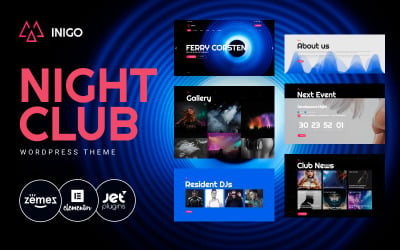
| Inigo - Night Club WordPress Theme | 166 | $59 |
| Musiico - Classical Music & Orchestral Group WordPress Elementor Theme | 1 | $41 |
| Castpro - Podcast And FM Radio Multipurpose WordPress Elementor Theme | 11 | $41 |
Music Portal WordPress Themes FAQ
Can you combine Song Portal WordPress themes?
Combining the entire WordPress themes or some of their elements is one of the major characteristics of Monstroid2. The theme contains a Magic Button, which provides you with the access to all modules, widgets, pages, layout elements, and skins that can be found in all child themes from the pack.
How can I translate my Music Lyrics Portal WordPress theme?
In order to translate a theme, make sure that the WordPress product that you have chosen is translation-ready. Next, get Poedit software installed on your computer.
- Open Poedit and select Create new translation.
- Select a language you want to translate your theme to.
- Highlight any string you want to translate.
- Once you have translated your theme, save the file (lt_LT in this example) in the same directory as the original template.
How to handle Audio Portal WordPress theme customization?
There are multiple ways to customize WordPress themes. To the biggest degree, this depends on the functionality that any specific theme stores under the hood. If your theme includes a drag-and-drop builder, then go ahead and customize it in the visual mode. If you follow the traditional scenario, then open your WordPress dashboard and navigate Appearance > Themes > Customize.
How do Music Portal Website WordPress themes work?
WordPress theme template files are written in PHP and HTML, and end in the file extension .php. All of your blog's unique information (including your site name, your blog posts, and every single comment) is stored in a MySQL database. That information is retrieved from the database using the programming language PHP. Then, the retrieved information is displayed via your theme's template files, using HTML and CSS.
Where to install Song Portal WordPress theme?
In order to install a WordPress theme, take the following steps:
- In your WordPress dashboard, go to Appearance > Themes > Add New.
- From there you'll see an option for 'Upload' at the top of the screen. Click the 'Browse' button, navigate your computer files and select the .ZIP file for your downloaded extension.

15 Great Music Band WordPress Themes 2019
Every music producer and performer knows that being a skilled artist requires hard work. At TemplateMonster, we also know that music and entertainment make people’s hearts beat faster!
Read me
How to Setup & Manage WordPress Gravatar [Quick Guide]
Every music producer and performer knows that being a skilled artist requires hard work. At TemplateMonster, we also know that music and entertainment make people’s hearts beat faster!
Read me
Promote Your Business On YouTube in 7 Steps
Every music producer and performer knows that being a skilled artist requires hard work. At TemplateMonster, we also know that music and entertainment make people’s hearts beat faster!
Read me
20 Free WordPress Widgets You’ll Love to Have on Your Website
Every music producer and performer knows that being a skilled artist requires hard work. At TemplateMonster, we also know that music and entertainment make people’s hearts beat faster!
Read me