 ES
ES RU
RU DE
DE PL
PL IT
IT TR
TR FR
FR BR
BR NL
NL CN
CN CZ
CZ UA
UA HU
HU SE
SE Unlimited Downloads
  Sale
Sale 



















5 Best Merchant Services WordPress Themes & Templates 2026 2026
| Template Name | Downloads | Price |
|---|---|---|
| Imperion - Multipurpose Corporate WordPress Theme | 1,237 | $59 |
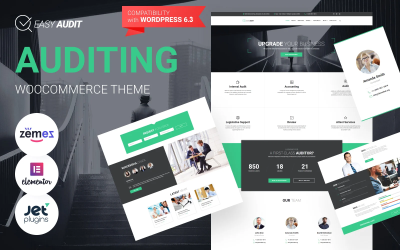
| EasyAudit - Financial Audit WordPress Theme | 186 | $59 |
| Grandviz - Financial Company Premium Elementor WordPress Theme | 192 | $59 |
| Dividenz - Financial Advisor & Investment Company WordPress Elementor Theme | 75 | $59 |
| Provise - Financial Consulting WordPress Elementor Theme | 1,022 | $59 |
5 Premium Merchant Services WordPress Themes 2026
| Template Name | Price | Sales | Collections |
| Imperion - Multipurpose Corporate WordPress Theme | $75 | 408 | 327 |
| BoostUp Business Consulting WordPress Theme | $75 | 31 | 40 |
| EasyAudit Auditing WordPress Theme | $75 | 67 | 51 |
| Dominer Business & Services WordPress Theme | $75 | 41 | 46 |
| SortProfit - Business & Finance WordPress Theme | $75 | 66 | 72 |
Responsive Merchant Services WordPress Theme Video Tutorial
Imperion is a business multipurpose WordPress theme, a true forerunner among the corporate and finance themes. It includes everything one might need when making the business known all around the web!
Merchant Services WordPress Themes FAQ
How do Merchant Services WordPress themes work?
WordPress theme template files are written in PHP and HTML, and end in the file extension .php. All of your blog's unique information (including your site name, your blog posts, and every single comment) is stored in a MySQL database. That information is retrieved from the database using the programming language PHP. Then, the retrieved information is displayed via your theme's template files, using HTML and CSS.
How to handle Merchant Services Business WordPress theme customization?
There are multiple ways to customize WordPress themes. To the biggest degree, this depends on the functionality that any specific theme stores under the hood. If your theme includes a drag-and-drop builder, then go ahead and customize it in the visual mode. If you follow the traditional scenario, then open your WordPress dashboard and navigate Appearance > Themes > Customize.
Can Merchant Services Company WordPress themes be customized in the visual mode?
Definitely yes! There's a number of drag-and-drop page builder that allow you to apply any sort of changes to your theme's layout in the intuitive visual mode. For example, you can try working with Elementor and Power page builders.
How can I translate my Merchant Services Provider WordPress theme?
In order to translate a theme, make sure that the WordPress product that you have chosen is translation-ready. Next, get Poedit software installed on your computer.
- Open Poedit and select Create new translation.
- Select a language you want to translate your theme to.
- Highlight any string you want to translate.
- Once you have translated your theme, save the file (lt_LT in this example) in the same directory as the original template.
What Merchant Services Association WordPress theme to choose for a startup?
A single-page site is the best solution for an effective promotion of startup projects. By means of a Startup Company WordPress theme, you can launch a fully-fledged site that will suit a range of occasions. Elementor page builder ensures easy customization of the theme's layout.