 ES
ES RU
RU DE
DE PL
PL IT
IT TR
TR FR
FR BR
BR NL
NL CN
CN CZ
CZ UA
UA HU
HU SE
SE Unlimited Downloads
  Sale
Sale 




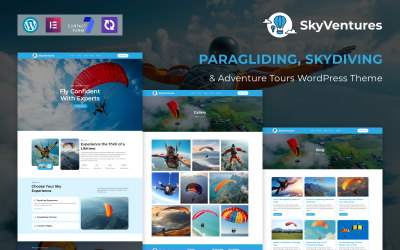


5 Best Skydiving WordPress Themes & Templates 2026 2026
Great Video Tutorial for Skydiving Lessons WordPress Themes
You have a business, but don’t have a site? Not a problem! If you were wondering how to build a WordPress website, watch this video tutorial. Watch the full process in 22 minutes video: from installation to customization. From this video you’ll get to know how to adjust your theme, change colors, fonts, download and put pictures on your site, and many more important things. The main thing is that you can use the video as a step-by-step guidance while installing and adjusting your template. After watching it you will know for sure how to make a website using WordPress in less than an hour. Subscribe to our channel and share the video if it helped. Good luck with your website! What do you think? How much time does one need to build WordPress website? You will need around 35 minutes with this tutorial.
Skydiving WordPress Themes FAQ
How can I translate my Skydiving Shop WordPress theme?
In order to translate a theme, make sure that the WordPress product that you have chosen is translation-ready. Next, get Poedit software installed on your computer.
- Open Poedit and select Create new translation.
- Select a language you want to translate your theme to.
- Highlight any string you want to translate.
- Once you have translated your theme, save the file (lt_LT in this example) in the same directory as the original template.
Which Parachuting Course WordPress themes are responsive?
All WordPress themes in the TemplateMonster digital marketplace are made to be responsive.
How can I update my Skydiving Courses WordPress theme?
The majority of WordPress themes offer automatic updates. In order to update your current WordPress theme, navigate Dashboard >> Appearance >> Themes, pick the current theme, then simply click the button 'Update Now' to attempt the upgrade.
Are Skydiving Gear WordPress themes SEO friendly?
All WordPress themes from TemplateMonster are built with the latest SEO standards in mind.
How to convert Parachuting WordPress themes to HTML?
In order to convert WordPress themes to HTML, you can make use of such tools as Simply Static, Jekyll, Pelican, etc.
10 Minimalist WordPress Themes to Build an Amazing Website
Minimalist website templates are great because of their ability to adapt to any website topic easily.
Read me
WordPress Copyright Hacks. How to Prevent Image, Video & Copy Theft
Minimalist website templates are great because of their ability to adapt to any website topic easily.
Read me
Promote Your Business On YouTube in 7 Steps
Minimalist website templates are great because of their ability to adapt to any website topic easily.
Read me
Where to Get the Best WordPress Customer Support?
Minimalist website templates are great because of their ability to adapt to any website topic easily.
Read me