 ES
 RU
 DE
 PL
 IT
 TR
 FR
 BR
 NL
 CN
 CZ
 UA
 HU
 SE
 Unlimited Downloads
 Sale



3 Best Forum WordPress Plugins 2026
| Template Name | Downloads | Price |
|---|---|---|
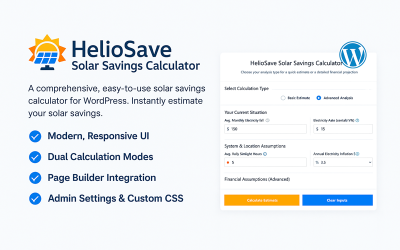
| HelioSave Solar Savings Calculator for WordPress | 0 | $29 |
| Easy WhatsApp Orders – Receive Orders via WhatsApp – WooCommerce Plugin | 0 | $17 |
| Sales AI Coach — WordPress Sales Training Plugin | 0 | $21 |
Stay Tuned to TemplateMonster's YouTube Channel
WordPress Forum Plugins Q&A
How to install WordPress forum plugins?
The installation of the extension is simple thanks to WordPress CMS's user-friendly interface. The first step is to log in to the platform's admin panel. Go to the "Plugins" section in the area menu. Select "Add new". Click the "Upload Plugin" button there. Upload your files and wait for the extension to be installed by the system. Activate the add-on and enjoy your new trending feature.
Do you provide any other digital products besides WordPress forum plugins?
In the marketplace library, you can download graphics, website templates, eCommerce themes, video and audio assets, presentation templates, and other digital items.
What should I do in case of technical issues with the forum WordPress plugin?
Keep an eye on the status of the item you are working on. During the first six months after purchasing a premium item, you can contact technical support and get a solution from experts. If you download a free plugin and find performance bugs, you can report them on the marketplace.
Can I sell WordPress forum plugins via your marketplace?
It is always a pleasure to see talented authors join the TemplateMonster community. On this page, you will find all the details and register your author account.