ES
 RU
 DE
 PL
 IT
 TR
 FR
 BR
 NL
 CN
 CZ
 UA
 HU
 SE
 Sale
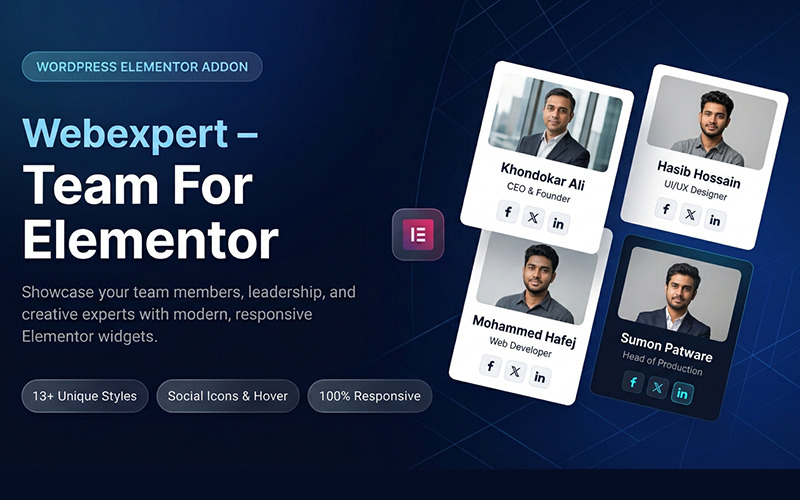
Webexpert - Team For Elementor WordPress Plugin
 With a product you will get 6 months of support from the author. To know more about what is included, please read the support policy.
 Sales:
Choose a license
Popular Services from WordPress Plugins Experts
 Get in Subscription
MonsterONE - Unlimited Downloads for $10.75/mo
License permits using this item to create unlimited digital end products for sale during the active period of your subscription.
|
Support
Join to Download this Item


Webexpert is a Team for Elementor WordPress plugin designed to enhance your site's functionality and aesthetics. This powerful tool allows you to effortlessly create stunning team member profiles, showcasing your staff's expertise and personality. With customizable layouts and easy-to-use features, you can present your team in a professional manner that captivates visitors and builds trust. Experience seamless integration with Elementor, ensuring a smooth design process without any coding knowledge required. The plugin is optimized for performance, ensuring fast loading times and a responsive design that looks great on any device. Elevate your online presence and foster a connection with your audience by highlighting your team with Webexpert - Team for Elementor.
WordPress Plugin Installation
Follow the steps below to install using the WordPress plugin installer.
- Unzip Your Download File
- The installation of the plugin is just like any other plugin installation for WordPress. Login to your WordPress site and go to Plugins Add New.
- At the Install Plugins Page click on Upload Plugin from the top navigation and then click on browse.
- Go to the location on your computer where you saved the downloaded plugin zip file and upload "webexpert-team-elementor.zip" zipped file.
- Now click on Install Now.
- Wait until WordPress has uploaded the file. If it's done click on Activate Plugin.
- Now you should see a message 'Plugin activated' at the top of the window.
Changelog
24-05-2026
- Latest WordPress Version Capability.
0 Reviews for this product
0 Comments for this product
Customer Support
This rating is based on feedback from customers who have received support from the author of this product.