 ES
 RU
 DE
 PL
 IT
 TR
 FR
 BR
 NL
 CN
 CZ
 UA
 HU
 SE
 Unlimited Downloads
 Sale














5 Best Library WordPress Themes & Templates 2026 2026
| Template Name | Downloads | Price |
|---|---|---|
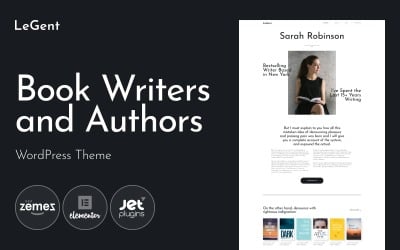
| Legend - Author Portfolio & Writer WordPress Theme | 374 | $59 |
| Singerella - Art & Music School WordPress Theme | 165 | $59 |
| FunCare - Bright And Enjoyable Daycare Website WordPress Theme | 202 | $59 |
| Teddy Academy - Primary School WordPress Elementor Theme | 208 | $59 |
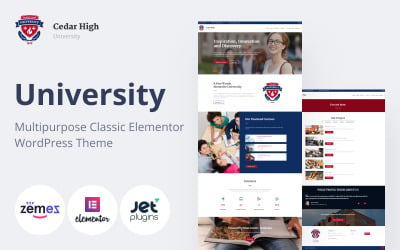
| Cedar High - University Multipurpose WordPress Theme | 222 | $59 |
Responsive Digital Library WordPress Theme Video Tutorial
This video tutorial will show you how to use WordPress Media Library.
Library WordPress Themes FAQ
Where to install Library Catalog WordPress theme?
In order to install a WordPress theme, take the following steps:
- In your WordPress dashboard, go to Appearance > Themes > Add New.
- From there you'll see an option for 'Upload' at the top of the screen. Click the 'Browse' button, navigate your computer files and select the .ZIP file for your downloaded extension.
WordPress theme vs page builder - what's a better option?
As a rule, WordPress themes of the last generation include built-in drag-and-drop builders, which allow you to modify the pre-designed layouts effortlessly.
Can Online Library WordPress themes be edited in Photoshop?
All WordPress themes that are available in TemplateMonster inventory include layered PSD files. So, you can modify any design using the popular photo editor.
How can I update my Library Catalog WordPress theme?
The majority of WordPress themes offer automatic updates. In order to update your current WordPress theme, navigate Dashboard >> Appearance >> Themes, pick the current theme, then simply click the button 'Update Now' to attempt the upgrade.
How to choose the best Library Catalog WordPress theme?
The choice of the best WordPress theme depends on your personal requirements and expectations. Create a short list of features that you want to have on your site. Make the choice of the theme based on those criteria.