 ES
ES RU
RU DE
DE PL
PL IT
IT TR
TR FR
FR BR
BR NL
NL CN
CN CZ
CZ UA
UA HU
HU SE
SE Unlimited Downloads
  Sale
Sale 



5 Best Ecommerce PrestaShop Modules 2026
| Template Name | Downloads | Price |
|---|---|---|
| PrestaShop Google Shopping Sync – Content API Integration Module | 1 | $82 |
| Security Pack PrestaShop module | 1 | $80 |
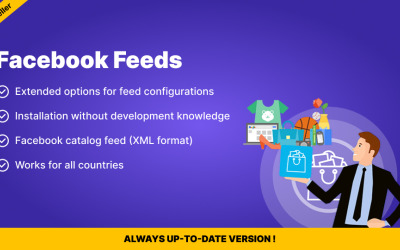
| Facebook Dynamic Ads Feed Generator for PrestaShop | 0 | $62 |
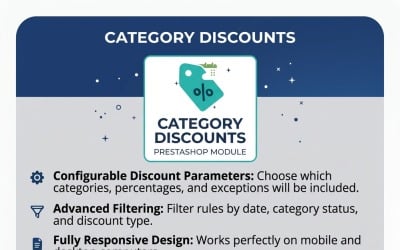
| Category Discount module for PrestaShop | 0 | $47 |
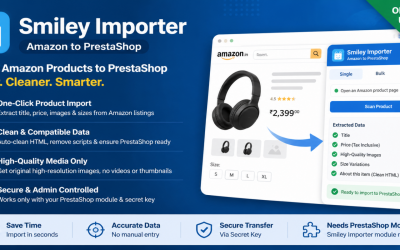
| Smiley Importer - Amazon to PrestaShop Product Importer Module | 0 | $32 |
E-commerce Prestashop Module Video
E-commerce Prestashop Module FAQ
Is it possible to create an eCommerce Prestashop module?
If you have programming skills, then you create an extension. To do this, you need to master several concepts that you will need for development. The configuration store data in the Shop database and does not require a specific module list. It includes a list of key-value properties from anywhere. Hooks are any specific actions the platform takes with your code. You operate them to place code on pages, specific actions, etc. Widgets are needed to display content where you need it. Doctrine helps you manage data through object databases.
Who can operate the eCommerce Prestashop module?
It will be helpful for anyone who works with the site: administrator, marketer, financier, accountant, SEO specialist, user, etc.
How to install an eCommerce Prestashop module?
You can choose any option that is most convenient for you. First is a manual method - you copy the code file to a specific program folder. The second one is Automated: you install through the software menus, if this option is implemented. Automatic: by launching a file that finds what and where to install.
How to get an eCommerce Prestashop module from TemplateMonster?
To get started, you should register on the TemplateMonster website. Check out the PrestaShop plugin collection on the site. You choose the module that corresponds to your functionality and request. All products are open source, and you can edit them. Add module to cart. Fill in all the data required for billing and your account. Pay for the product using a convenient payment system: PayPal, Stripe, or card. After that, you go through the verification stage by calling or emailing. The system sends you a link to download the file with the product to your account. Now you operate the extension for your needs.