 ES
ES RU
RU DE
DE PL
PL IT
IT TR
TR FR
FR BR
BR NL
NL CN
CN CZ
CZ UA
UA HU
HU SE
SE Unlimited Downloads
  Sale
Sale 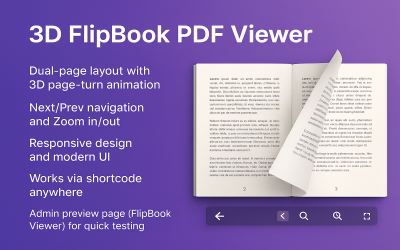



3 Best One Page WordPress Plugins 2025
| Template Name | Downloads | Price |
|---|---|---|
| 3D FlipBook PDF Viewer wordpress plugin | 0 | $19 |
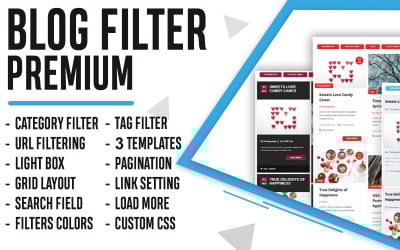
| Blog Filter Wordpress Plugin | 0 | $39 |
| Photo Gallery WordPress Plugin | 0 | $22 |
Best One-Page Plugins for WordPress
Rapidly develop a polished, attention-grabbing landing page without any code. With one-page plugins for WordPress, you can change the look and feel of the content on your site. Enhance the user experience with interactive features such as tables, galleries, menus, and more. With robust customization options, these add-ons will allow you to build custom functionality into any WordPress-powered site.
Keep reading to learn about their features, benefits, and how they can help you create an effective one-page site. Let's get started!
Who Can Use a WordPress One-Page Plugin?
We know that most entrepreneurs and first-time WordPress users don't want to spend hours learning how to write code or hire a coder for every project. The one-page plugin might be useful in this situation.
This is the most effective and quickest approach to constructing a high-quality landing page. Are you a freelancer, business owner, or blogger? These modules make it easy for anyone, regardless of their business or level of experience, to make an effective single-page site with no additional work. Their goal is to add advanced functionality to your site without having to code everything from scratch.
So, if you want a simple way to show off your products or services, one-page plugins for WordPress are the way to go.
Why You Should Use One-Page Plugins in WordPress
Above all, they will save you time and money. Additionally, they make your website safer and easier for people to use.
These add-ons are a lifesaver when it comes to saving time, as they provide templates that may serve as a basis for further work. Users may easily adapt the layout of the pages to their requirements by dragging and dropping elements inside the interface.
But not all modules do the same thing. Some are better than others because they have more features and better customer service. When looking for a suitable landing page add-on, it's critical to think about a few things:
- User-friendly. If you are just starting in the world of web design and development, you will want a plugin that is as user-friendly as possible.
- Customizable. Make sure the add-on is flexible so you can add the features you want and design a landing page exactly as you envisioned.
- Feature-packed. The top add-ons provide access to a wide range of components and features that you can include on your website. This might be useful if you'd rather have a fast solution than learn how to develop different web components from scratch.
How to Build a Single-Page Website
- At this stage, you should already have hosting and a domain. After obtaining them, you need to install the CMS by visiting the official website and following the installation prompts. Once done, you can start using it on your site in minutes.
- Choose a WordPress theme—most templates come with demo content, making it easy to give your site a professional and modern look with minimal effort.
- After installing the theme, you'll need to customize it by adding widgets and plug-ins that perfectly suit your needs. TemplateMonster has modules for advertising and marketing, affiliates, analytics, navigation and user interface, store management, search engine optimization (SEO), security, and more.
Finally, it is time to set up your web project and customize the content. It's easy to modify the layout, colors, fonts, and more to fit your brand's specifications, and you can add text, photos, and videos as needed. Consider ordering the Classic Customization Service if you want to create a unique web experience that will captivate visitors with its beauty and originality! With this service, you can easily add a personal touch of flair and personality to your website, which will surely make a lasting impression.
Conversion-Optimized Landing Page Design: 6 Tried-and-True Guidelines
One-Page Plugins for WordPress FAQ
Are one-page plugins for WordPress easy to use?
Forget about editing the code with these add-ons. They are easy to understand and don't take long to set up, so businesses of all sizes that want to improve their web presence should choose them.
How can one-page plugins for WordPress improve the user experience?
They have altered the creation of websites by making it simple to add user-friendly search bars, interactive forms, dynamic tables, and much more.
How much do modules cost?
Depending on the features and functions you need, some WordPress-based plug-ins may cost $10, while others may cost $200.
Does using a plug-in slow down the page's performance?
It is a common misconception that using an add-on will slow down its performance; in reality, the opposite is true—add-ons and extensions help improve the speed of your site. Add-ons improve the code on your website, lower the load on your server, and add extra features like caching and minifying.