 ES
ES RU
RU DE
DE PL
PL IT
IT TR
TR FR
FR BR
BR NL
NL CN
CN CZ
CZ UA
UA HU
HU SE
SE Unlimited Downloads
  Sale
Sale 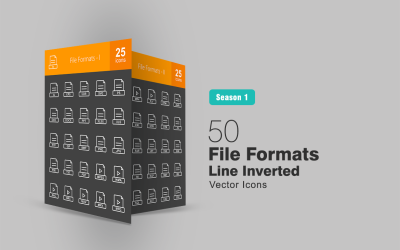



5 Best DOC Icons and Icon Sets in DOC File Format 2026
| Template Name | Downloads | Price |
|---|---|---|
| 50 File Formats Line Inverted Icon Set | 0 | $14 |
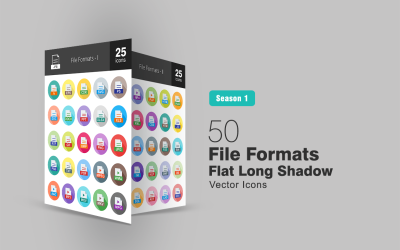
| 50 File Formats Flat Long Shadow Icon Set | 0 | $14 |
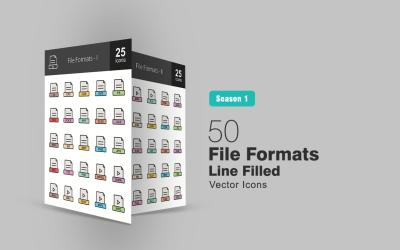
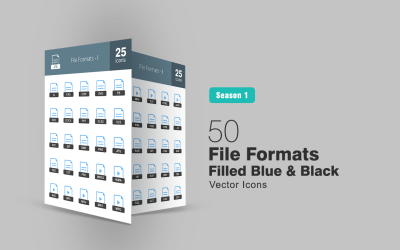
| 50 File Formats Filled Line Icon Set | 0 | $14 |
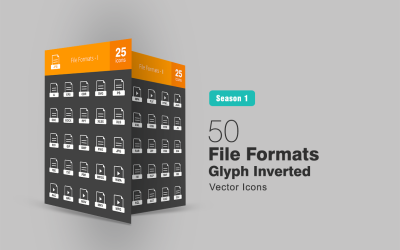
| 50 File Formats Glyph Inverted Icon Set | 0 | $14 |
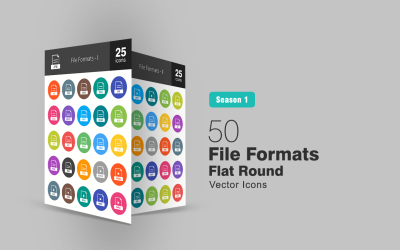
| 50 File Formats Flat Round Icon Set | 0 | $14 |
DOC Icons Sets to Download
DOC icons are very popular. They are essential elements for every website, presentation, document, and so on.
Their popularity is based on both their visual and functional role.
Icons can confer an eye-catching look to your content, making it more interesting to view and interact with.
However, other than improving the appearance, icons can also guarantee a better user experience.
For instance, icons can improve readability. In other words, you can use icons to break the walls of text and split them into smaller and easier-to-read parts.
What's more, icons can improve the accessibility of your text. As people from all around the world with other languages and cultures can understand and recognize icons, you won't need to translate your content into many languages by using them.
Icons are beneficial for both you and users.
However, to perform their functions at their best, icons need to be designed using professional programs, which requires expertise.
Thus, if you don't have the experience or time to dedicate, buying ready-to-use icons might be a better solution for you.
Icons are now available in many file formats, and you can choose the one that best suits your needs. For example, if you need to insert them into your Microsoft Word document, the DOC file format would be the best choice.
DOC Icons at TemplateMonster
Throughout the TemplateMonster marketplace, you'll find several DOC icon sets. Expert web designers design every set using professional software, which makes it look professional and fully working.
Plus, each set contains multiple icons representing different objects, ideas, and actions associated with the same topic. So whatever the industry you operate in, you'll find a related icon set to cover your needs.
Icons are all ready to use and available in multiple file formats and designs. So even if you don't find a design that matches your brand identity or preferences, you can edit it using some compatible editing programs or online tools.
DOC icon topics
Icons can represent the most disparate objects and concepts related to different industries. The following are some of the most common topics you can encounter throughout the marketplace:
- business;
- people;
- file formats;
- nature;
- food;
- industrial;
- data;
- security;
- web development;
- game;
- sports.
Where to use icons
Icons are widely appreciated for being versatile and multipurpose elements. This means you have plain freedom of placing them wherever you'd like or need the most. Some of the most common icon placements include:
- websites;
- landing pages;
- social media posts;
- ebooks;
- mobile apps;
- brochures;
- documents;
- Instagram stories highlight covers;
- presentations;
- flyers.
How to edit DOC icons
As aforementioned, most of the DOC icons are editable and customizable. This means you can change their colors, shapes, and overall design using editing programs and online tools. The following are some of the most used compatible editing software:
- Adobe Illustrator;
- Photoshop;
- CorelDRAW.
How to add and use icons in Microsoft Word
Microsoft Word has its official icon library. You can either choose to add icons taken from its library or add external ones. In the latter case, you need to insert the icons as images. If you intend to do so, follow these simple steps:
- open the Word document;
- click on Insert and add Image;
- select and add an image.
Once you decide to add the icons to your content, pay attention to some important details, which will allow you to guarantee the best user experience.
Below, we listed some of the best practices for better icon usability.
Use familiar icon representations
When choosing and adding icons to your content, check if their meaning is immediately recognizable. To make sure this happens, before inserting them, you can test them for recognizability. If people take over five seconds to guess the right meaning or to associate the icon to the right object, idea, or action, then you should choose another type of icon.
Accompany icons with text labels
Even if users can understand the icons' meaning with no additional information needed, it is better to add text labels. This way, you'll remove any doubt or uncertainty the users may have.
Leave enough space between icons
To make your content tidy and polished, consider leaving enough space between icons. The distance between them should be sufficient so that users can clearly distinguish and see them separately.
Ensure design consistency
The icons should strictly follow the design you used throughout the content. This means you should avoid placing icons with a distinct style, making the overall document look unorganized and unprofessional.
Choose the right size
When placing icons into your document, you also need to consider making them the right size. They must be noticed by readers and draw their attention while remaining proportionate to the other elements.
DOC Icons FAQ
What are DOC icons?
DOC icons are graphical representations of objects, concepts, and actions related to the same topic and mainly compatible with Microsoft Word.
What does DOC format stand for?
A DOC file format is a word processing document created by Microsoft Word. It may contain formatted text, images, tables, graphics, and print settings.
What is the difference between DOC and DOCX?
Whereas DOC is the older version of Microsoft Word, DOCX is the newer version (from Microsoft Word 2007 onwards).
Which is better, DOC or DOCX?
DOC and DOCX are relatively the same. However, DOCX is more efficient and creates smaller and less prone to defect files.
How to convert DOC to PDF?
If you intend to convert one or more files from DOC to PDF, you can use one of the following free online converters:
- smallPDF;
- easePDF;
- CloudConvert.