 ES
ES RU
RU DE
DE PL
PL IT
IT TR
TR FR
FR BR
BR NL
NL CN
CN CZ
CZ UA
UA HU
HU SE
SE Unlimited Downloads
  Sale
Sale 


5 Best BMP Icons and Icon Sets in BMP File Format 2025
| Template Name | Downloads | Price |
|---|---|---|
| World Flags and World National Flags Iconset template | 1 | $20 |
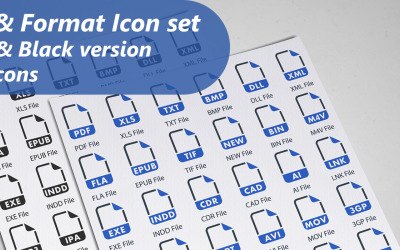
| File and Format Iconset template | 0 | $8 |
| 25 FILE FORMAT FILLED TWO COLORS PACK Icon Set | 0 | $11 |
| 25 FILE FORMAT FLAT CURV BG PACK Icon Set | 0 | $11 |
| 25 FILE FORMAT LINE CIRCLE PACK Icon Set | 0 | $11 |
BMP Icon Sets to Download
BMP icons are everywhere. Every website, presentation, or social media post has at least one of them for highlighting or summarizing a particular concept.
Other than being visually pleasing, icons bring other advantages. They can also enhance the user experience.
For example, icons can save space. In addition, they can summarise a concept by replacing multiple lines of words. Because no one likes to read walls of text, this also benefits the user, who can understand the context by simply viewing the icons without having to read anything.
Plus, icons don't need a translation. Regardless of the language and culture, international users can understand the meaning of icons. Thus, by adding them to your content, you'll make it accessible worldwide, with no need to translate it into many languages.
However, to work properly and perform their visual and functional roles, icons need to be designed using some professional software, which requires hands-on experience and time to dedicate.
If you're a beginner or have no experience at all, you may end up with poor or even zero results, other than spending money and time.
This is why many people prefer to buy ready-made icons designed by professionals.
The web is now full of icon sets with unique designs, which come in various file sizes and formats, making it easier to find compatible programs.
BMP icons at TemplateMonster
Throughout the TemplateMonster marketplace, you can find several BMP icon sets. All the sets are designed by expert web designers from all around the world.
Each set presents multiple icons representing different objects, actions, or ideas associated with the same topic. You can make the research straightforward by filtering the results by color, topic, rating, price, compatibility, and file format.
All the icons are ready to use. However, if you don't find a design that suits your necessities, you can edit it later using some compatible programs or online tools. This will allow you to make the design compatible with the one you used across your website.
Where to place icons
Icons are elements that easily fit any type of content and screen format. Thus, they are very versatile. This means you can place them wherever you like the most. Even if their file format isn't the most appropriate for the intended use, you can easily convert it into another compatible one using one of the several free converters available online. The following are some of the most popular icon placements:
- mobile apps;
- websites;
- landing pages;
- ebooks;
- brochures;
- presentations;
- social media posts;
- Instagram stories highlight covers.
How to edit BMP icons
As aforementioned, you can edit the color, shape, and overall design of BMP icons using some compatible editing software. By editing them, you'll make sure they'll match the style of your content, offering design consistency and making it look polished and professional.
The following are some of the most popular editing programs that support the BMP file format that you can use:
Tips for icon usability
Icons shouldn't be chosen and placed randomly. When going through these processes, you must consider certain factors.
Here, we listed some of the most relevant.
Test icons for recognizability
Before using icons, you should make sure that users can immediately recognize and understand their meanings. To be sure that this happens, you can test the icons and show them to some people. If they take over five seconds to associate the icons with the right meaning, you should choose other designs.
Complement icons with text labels
Although icons can visually communicate a message, it is better to complement them with a text label. This way, you'll remove any uncertainty or doubt the user may have about their meaning. The text shouldn't be longer than two or three words and should summarize the meaning at its best.
Add animations or links
When possible, to make icons even more engaging, you can add animations and links. As for the first, you can make icons perform the animation every time the page loads or users hover the mouse over them.
You can also use icons as buttons adding a link, and redirect the users to another page of the website every time they click on them.
Distribute icons evenly
Another factor to consider when adding icons to your content is leaving enough space between them. This way, you'll make sure that users can easily distinguish them separately and be more pleased to go through the text and interact further with the content.
Design consistency
When adding icons to your content, make sure they match the overall design. Colors, shapes, and styles should be the same or at least similar. If not so, consider editing the icons using some compatible editing programs.
BMP icons FAQ
What are BMP icons?
BMP icons are graphical representations of objects, actions, or ideas related to a specific topic or industry.
What is the BMP file format?
The BMP (or bitmap image file) format is a raster graphics image file format used to store bitmap digital images.
Does BMP use lossy or lossless compression?
Most of the BMP formats are lossy (e.g., JPEG icons). However, there are also compressed BMP formats, such as PNG icons and GIFs.
Are BMP vector or raster graphics?
BMP are raster graphics. As opposed to vectors, they’ll lose part of their resolution when resized or reshaped.
How to convert BMP to JPG?
If you intend to convert your files from BMP to JPG, you can use one of the following free online converters:
- Smallpdf;
- CloudConvert;
- Convertio.